


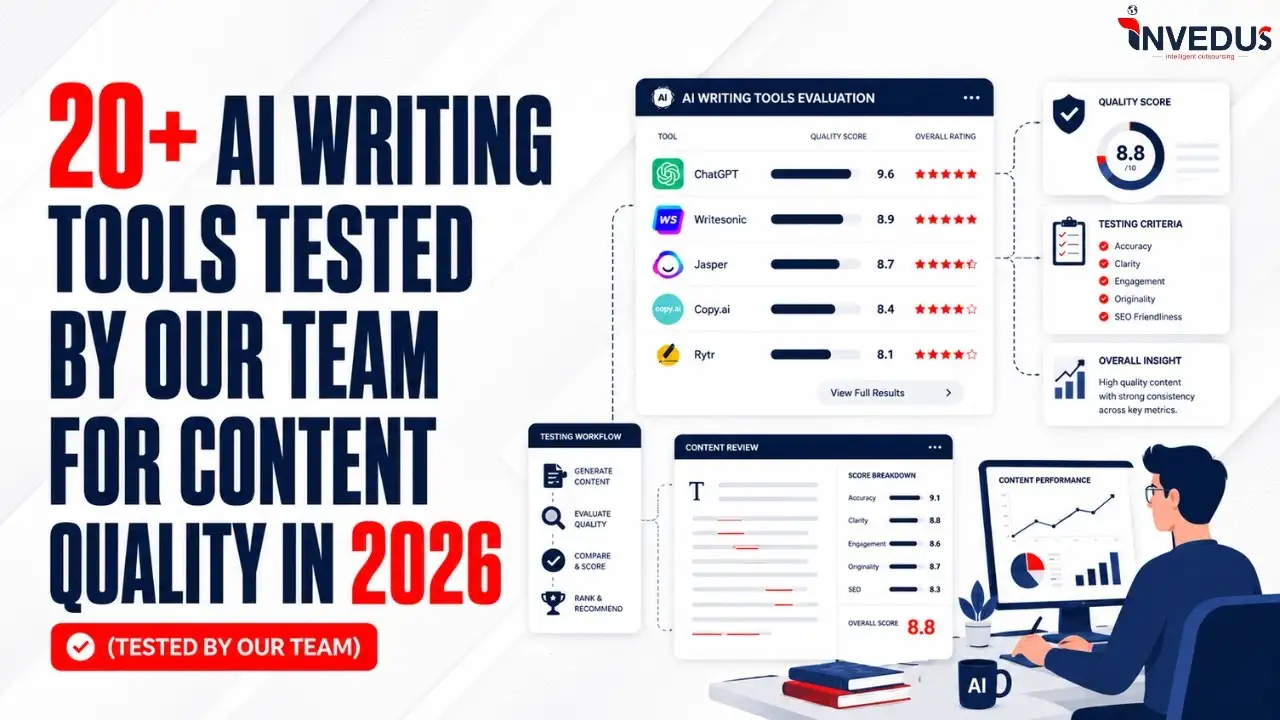
22+ AI Writing Tools Tested by Our Team for Content Quality in 2026 – Our Rankings

Authored By: Juhi
Juhi is an experienced content creator with a deep understanding of audience engagement and brand...

Fact-checked By: Poorvi Sharma
Growth & marketing strategist with a law background, specializing in digital outreach and brand impact....
Summary!
Based on our 2026 testing, the top AI tools for better content quality are Claude, Perplexity AI, Surfer SEO, ChatGPT, and Semrush. Claude leads for natural writing, Perplexity for research, Surfer SEO for optimization, ChatGPT for flexible drafting, and Semrush for SEO-led content workflows.
The best AI writing tools are no longer just helping teams write faster, they are reshaping how businesses maintain content quality at scale.
According to HubSpot’s State of AI Report, 84% of marketers using AI say it helps them create content more efficiently and improve output quality. As AI content writing tools continue evolving, the real challenge is no longer access to AI, but choosing the right tool for the right workflow.
Some AI writing software excels at long-form content, while others dominate SEO optimization, editing, grammar checking, or research.
We tested more than 22+ AI tools for content marketing, readability, and optimization to identify which platforms genuinely improve content standards, reduce fluff, and create more human-like, search-focused content in 2026.
Quick Comparison of All 22+ AI Writing Tools for Improving Content Quality
| S.No. | Tool | Use Case | Quality Score | Free Version | Chrome Extension | Starting Price |
| 1 | Claude | AI Writing | 91/100 | ✅ | ✅ | $17/mo |
| 2 | ChatGPT | AI Writing | 84/100 | ✅ | ✅ | $8/mo |
| 3 | Jasper AI | AI Writing | 82/100 | ❌ (trial only) | ✅ | $59/mo |
| 4 | Gemini | AI Writing | 80/100 | ✅ | ❌ | $7.99/mo |
| 5 | Grok | AI Writing | 79.25/100 | ✅ | ❌ | $30/mo |
| 6 | Writesonic | AI Writing | 78.75/100 | ✅ | ✅ | $79/mo |
| 7 | Copy.ai | AI Writing | 78/100 | ✅ | ❌ | $29/mo |
| 8 | Rytr | AI Writing | 76/100 | ✅ | ✅ | $7.50/mo |
| 9 | Sudowrite | AI Writing | 75/100 | ❌ (trial credits) | ❌ | $10/mo |
| 10 | Grammarly | Editing | 80/100 | ✅ | ✅ | $11.99/mo |
| 11 | Wordtune | Editing | 76.5/100 | ✅ | ✅ | $6.99/mo |
| 12 | Hemingway Editor | Editing | 73.75/100 | ✅ (web) | ❌ | $8.33/mo |
| 13 | Perplexity AI | Research | 90/100 | ✅ | ✅ | $20/mo |
| 14 | Exa | Research | 83/100 | ✅ (1K req/mo) | ❌ | $7/per 1,000 requests |
| 15 | Surfer SEO | SEO | 86/100 | ❌ | ✅ | $99/mo |
| 16 | Clearscope | SEO | 84.5/100 | ❌ | ✅ | $129/mo |
| 17 | Outranking.io | SEO | 83.75/100 | ❌ | ❌ | $19/mo |
| 18 | MarketMuse | SEO | 80/100 | ✅ (limited) | ❌ | $99/mo |
| 19 | WriterZen | SEO | 78/100 | ✅ (trial) | ❌ | $23/mo |
| 20 | Semrush | SEO + Chrome | 84.75/100 | ✅ (limited) | ✅ | $117/mo |
| 21 | QuillBot | Editing + Chrome | 78/100 | ✅ | ✅ | $19.95/mo |
| 22 | ProWritingAid | Editing + Chrome | 75/100 | ✅ | ✅ | $10/mo |
| 23 | LanguageTool | Editing + Chrome | 73/100 | ✅ | ✅ | $24.90/mo |
| 24 | Wordvice AI | Editing + Chrome | 70/100 | ✅ | ✅ | $19.95/mo |
How We Tested These AI Writing Tools?
Not every AI writing assistant improves content quality in the same way. Some AI writing tools generate content quickly but sound generic. Others produce more natural writing but struggle with depth, originality, or consistency across longer outputs.
To identify the best AI writing tools tested in 2026, our team evaluated every platform using the same real-world writing prompt, then manually reviewed the results instead of relying only on automated AI content quality checker scores.
The goal was simple: determine which AI tools to improve writing quality actually help businesses publish clearer, more useful, and more human-sounding content.
The Prompt We Used
Every content creation AI tool received the exact same test prompt:
“Write a blog post for small business owners who have never hired a content writer and are thinking about using AI to create content for the first time. The post should be 400–500 words, have a headline, and answer this question honestly: Will AI-generated content actually help your business grow, or is it just busywork that looks productive? Take a clear stance. Use a real-world example (a type of business, not a made-up company name). Write in a tone that is direct and conversational, no corporate language, no bullet-point listicles.”
This allowed us to compare how different AI content writing tools handle clarity, structure, originality, tone, and information depth under the same conditions.
For AI content optimization tools, AI grammar checker platforms, research assistants, and Chrome extension-based AI writing software, we used real article drafts and evaluated how relevant, accurate, and genuinely useful their suggestions were.
That included testing:
- SEO recommendations and topical relevance
- Editing accuracy and grammar correction quality
- Research usefulness and source relevance
- Workflow speed and browser integration experience
- Whether suggestions actually improved the final content
Instead of relying only on automated AI content quality checker scores, every tool was manually reviewed by our team in real-world content workflows. The goal was to identify AI tools that improve writing quality in practical publishing environments, not just tools that generate more words.
Our Content Quality Evaluation Criteria
Instead of focusing only on features or popularity, we scored outputs based on the actual quality of the writing produced. Alongside a readability test of the Flesch Readability Scale, we made the following criteria our priority. You will find different variations of this table based on what type of AI writing tool we are reviewing:
| Criteria | What We Evaluated | Weight |
| Clarity & Readability | How easy the content was to understand and follow | 25% |
| Information Depth | Whether the response provided meaningful insights or shallow generic advice | 25% |
| Originality & Freshness | How unique, modern, and non-repetitive the writing felt | 20% |
| Repetition & Fluff | Whether the tool avoided filler language and unnecessary repetition | 20% |
| Human-like Naturalness | How naturally the content read compared to human-written content | 10% |
How Final Scores Were Decided
Each response was manually reviewed and scored out of 100 by our editorial team. We specifically looked for outputs that could realistically reduce editing time for marketers, bloggers, agencies, and content teams.
While some AI tools for content writers in 2026 performed well technically, only a few consistently produced content that felt publish-ready without heavy rewriting.
This testing approach helped us identify the best AI tools for content quality, not just the most feature-heavy AI writing software.
Core AI Writing & Drafting Tools
1. Claude (Anthropic)
Best AI writing tool for natural, long-form content
| Best For | Bloggers, thought leaders, and content teams needing human-sounding long-form content |
| Standout Feature | Produces the most natural, least “AI-sounding” prose of any tool tested |
| Pricing (Monthly) | Free tier; Pro at $17; Max from $100 |
Pros
- Exceptional long-form coherence
- Handles nuanced, research-heavy topics well
- Strong context retention across long documents
- Adapts tone naturally to different audiences
Cons
- No built-in SEO features
- Requires pairing with an optimization tool for content marketing use cases
How We Tested Claude
As mentioned above, we used the same prompt across all AI writing tools to generate and evaluate content quality. Here is the output Claude provided:
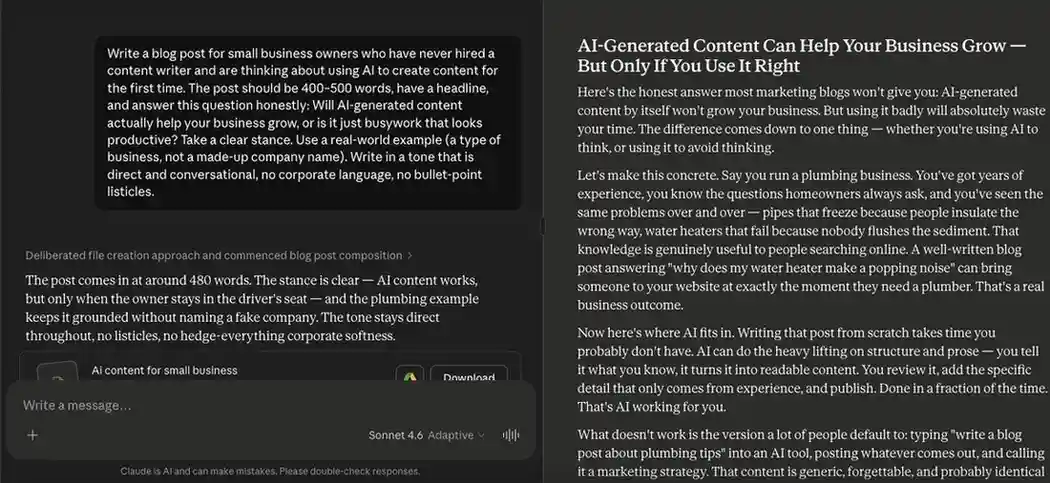
As you can see, the content is smooth, well-structured, and written in a tone that fits a US audience. This result came from Claude’s free model, without any prior training, detailed brand context, or additional prompting.
Claude responded to every part of the prompt with strong clarity, making it one of the best AI writing tools for long-form, natural-sounding content. Compared with many AI content writing tools, it delivered a cleaner first draft with less repetition and stronger sentence flow.
Based on the readability results and our team’s editorial review, we then rated Claude against our content quality criteria. For teams exploring AI tools for writers, AI writing software, or AI tools for content marketing, Claude stands out as a strong AI writing assistant for improving tone, clarity, and overall writing quality.
| Criteria | Score Given | Weight | Weighted Score |
| Clarity & Readability | 90/100 | 25% | 22.5/25 |
| Information Depth | 90/100 | 25% | 22.5/25 |
| Originality & Freshness | 100/100 | 20% | 20/20 |
| Repetition & Fluff | 90/100 | 20% | 18/20 |
| Human-like Naturalness | 80/100 | 10% | 8/10 |
| Total Score | 100% | 91/100 |
Final Content Quality Score: 91/100
Should Claude Be Your AI Writing Tool?
Claude is one of the best AI tools for content creation and ideation, especially if you need natural, long-form drafts. If you want to generate 50 to 60% of your organization’s content, you can definitely use this AI writing assistant for that. However, you may need to upgrade, as the free version’s daily tokens can get exhausted within 5 to 6 detailed prompts.
Overall Tool Rating: 4.9/5
2. ChatGPT (OpenAI)
Best AI writing tool for versatile, conversational content creation
| Best For | Writers who need a flexible tool for brainstorming, drafting, and iterating |
| Standout Feature | Conversational interface makes iteration and refinement fast and intuitive |
| Pricing (Monthly) | Free; Go at $8; Plus at $20; Pro at $100 |
Pros
- Handles virtually every content format
- Easy to iterate with follow-up prompts
- Large user community with prompt resources
- Strong for research summaries and outlines
Cons
- Requires strong prompting for quality output
- Can hallucinate facts without web search enabled
How We Tested ChatGPT
As with the other AI writing tools, we used the same common prompt to generate content and evaluate the output fairly. Here is what ChatGPT provided:
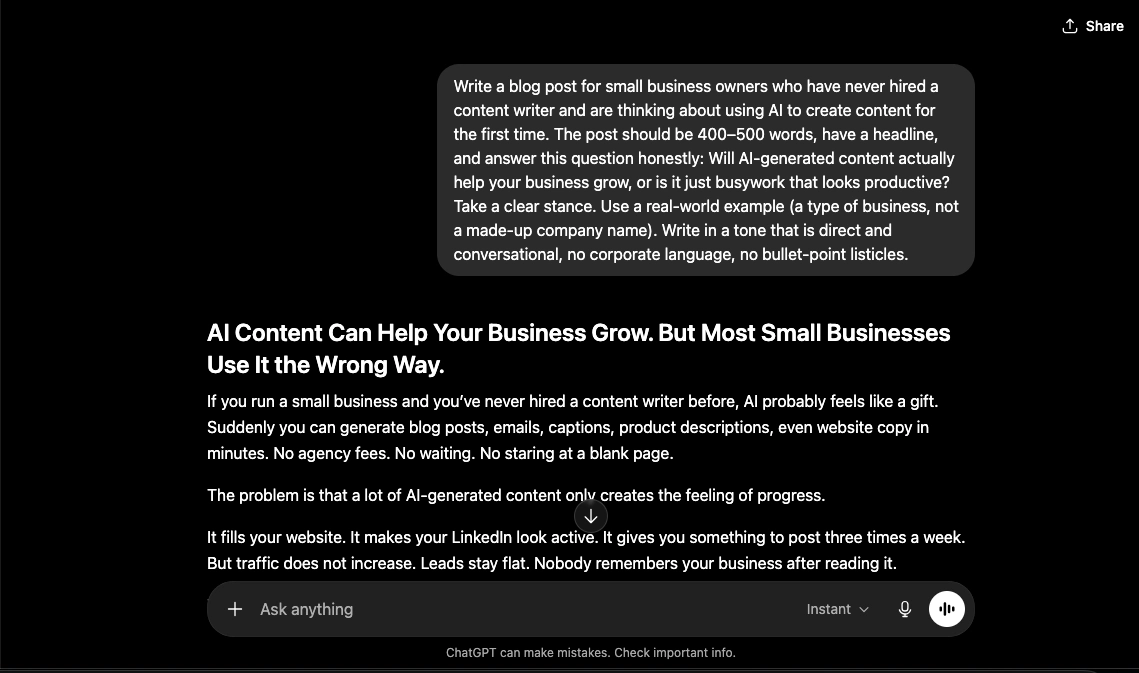
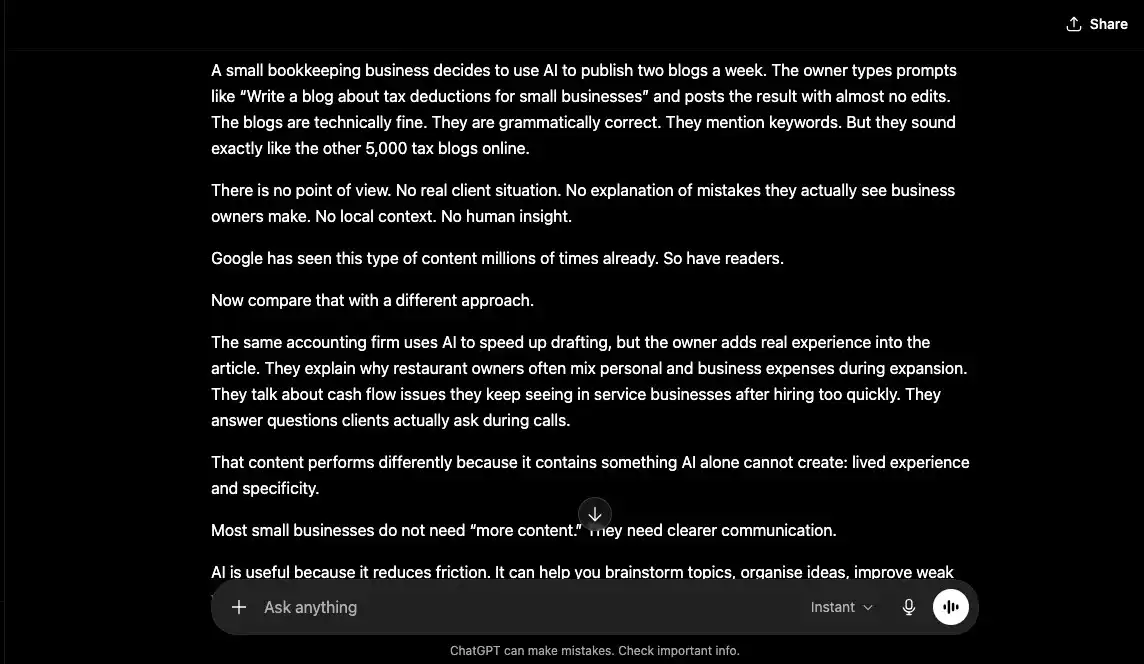
The biggest difference with this AI writing assistant is how structured the content feels, even without tweaking or adjusting the prompt. The output uses several human-like sentence patterns and includes examples that make the concept easier to understand. Overall, it delivered one of the strongest results for content quality among the best AI writing tools tested in 2026.
After analyzing these scores, we further reviewed the content against our broader quality criteria. For teams comparing AI content writing tools ChatGPT stands out for structure, clarity, and practical content development.
| Criteria | Score Given | Weight | Weighted Score |
| Clarity & Readability | 90/100 | 25% | 22.5/25 |
| Information Depth | 70/100 | 25% | 17.5/25 |
| Originality & Freshness | 95/100 | 20% | 19/20 |
| Repetition & Fluff | 80/100 | 20% | 16/20 |
| Human-like Naturalness | 90/100 | 10% | 9/10 |
| Total Score | 100% | 84/100 |
Final Content Quality Score: 84/100
Should ChatGPT Be Your AI Writing Tool?
If you prefer one of the best AI writing tools with a flexible model, ChatGPT is a strong choice. The content feels closer to what a person may write, although it may need follow-up prompts for stronger depth. Among AI tools for writers, it can support many content formats, making it useful for small businesses that want to scale content marketing without a large budget.
Overall Tool Rating: 4.7/5
3. Jasper AI
Best AI writing tool for enterprise marketing teams needing on-brand content at scale
| Best For | Marketing teams and agencies producing high-volume, campaign-ready content |
| Standout Feature | Brand IQ trains on your voice and guidelines, keeping every output on-brand across all formats |
| Pricing (Monthly) | Free Trial; Pro at $59; Business at $Custom |
Pros
- Trusted by major enterprise brands globally
- 100+ specialized AI agents for every content format
- Brand voice stays consistent across all outputs
- Strong team collaboration and access controls
Cons
- Weak on niche technical or scientific content
- Overpriced for solo creators and casual users
How We Tested Jasper AI
We used the same prompt to generate content and evaluate Jasper AI against our content quality criteria. Here is what Jasper AI looks like:
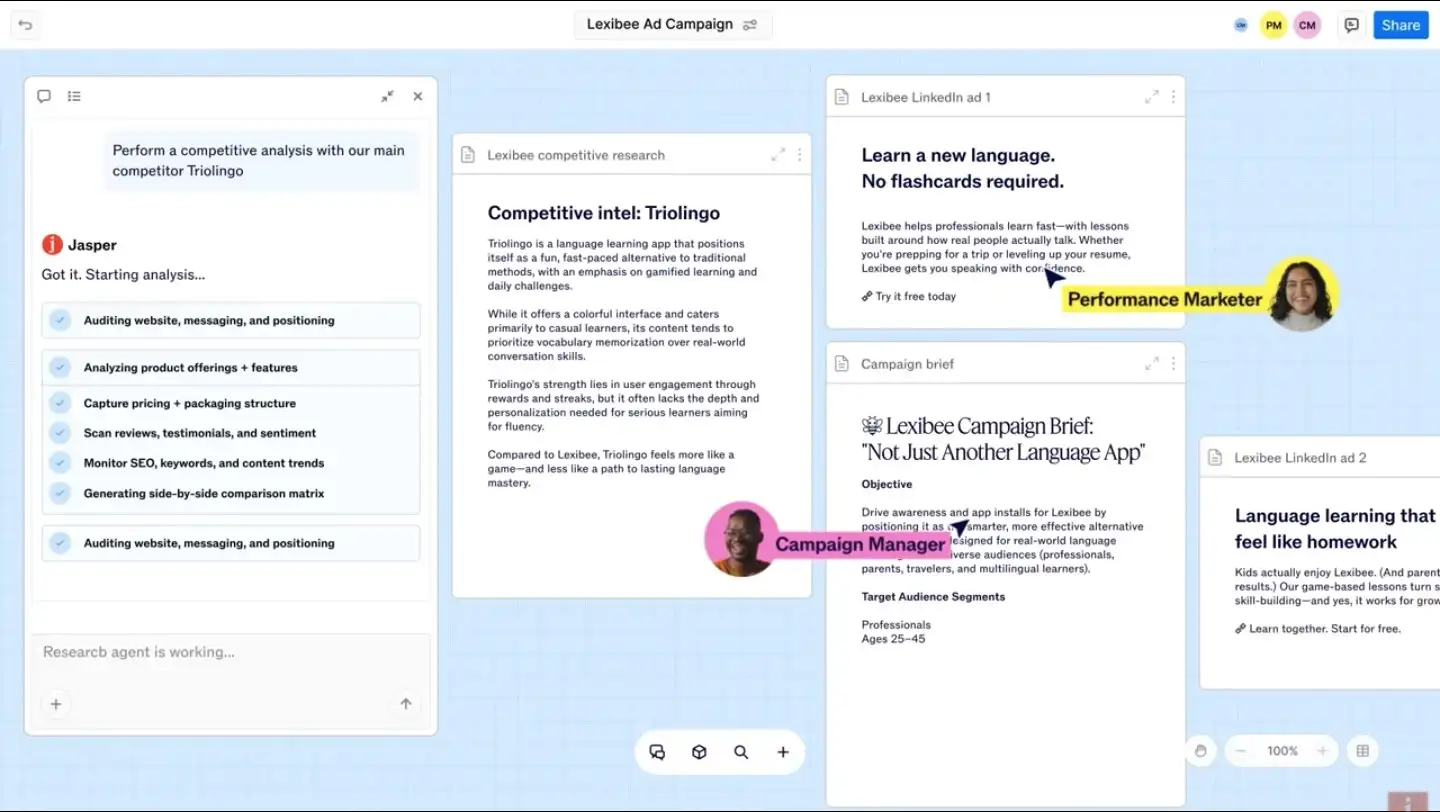
Disclaimer: Due to legal and confidentiality considerations, we are unable to display the full tool dashboard. The version shown here is a demo representation of the platform.
Jasper AI produces content that feels close to professional copywriter-level output. The AI writing assistant is strong at creating campaign copy, blog drafts, and audience-specific messaging that can be adapted for both short-form and long-form content. You can also train it on your brand voice, which helps future outputs stay closer to your preferred tone, style, and audience expectations.
Overall, Jasper AI delivered one of the strongest content quality results among the best AI writing tools tested in 2026.
The scores were among the highest in our evaluation and showed strong comprehension of the topic. For teams that want market-ready copy, audience-focused messaging, and scalable content workflows, Jasper AI stands out as one of the best AI tools for content creation and a strong AI writing software option.
| Criteria | Score Given | Weight | Weighted Score |
| Clarity & Readability | 90/100 | 25% | 22.5/25 |
| Information Depth | 70/100 | 25% | 17.5/25 |
| Originality & Freshness | 90/100 | 20% | 18/20 |
| Repetition & Fluff | 75/100 | 20% | 15/20 |
| Human-like Naturalness | 90/100 | 10% | 9/10 |
| Total Score | 100% | 82/100 |
Final Content Quality Score: 82/100
Should Jasper AI Be Your AI Writing Tool?
Jasper AI works best for businesses that need scalable, brand-focused content production rather than one-off drafts. Its ability to adapt to brand voice, audience type, and campaign goals makes it one of the stronger AI content writing tools for marketing teams. Jasper AI is especially useful for generating market-ready copy, improving content consistency, and supporting high-volume content workflows across blogs, ads, emails, and landing pages.
Overall Tool Rating: 4.6/5
4. Gemini (Google)
Best AI writing tool for Google Workspace users
| Best For | Teams already working inside Google Docs, Gmail, and Sheets |
| Standout Feature | Real-time Google Search integration for current, cited information |
| Pricing (Monthly) | Free; AI Plus at $7.99; AI Pro at $19.99; AI Ultra at $99.99 |
Pros
- Native Google Workspace integration
- Real-time web access for up-to-date content
- Strong for time-sensitive or data-driven writing
- Seamless in-document editing in Google Docs
Cons
- Creative writing quality trails Claude and ChatGPT
- Best features locked to paid plan
How We Tested Gemini
To test Gemini as one of the best AI writing tools and AI content optimization tools, we gave it the same standard prompt used across all platforms. This is what Gemini provided:
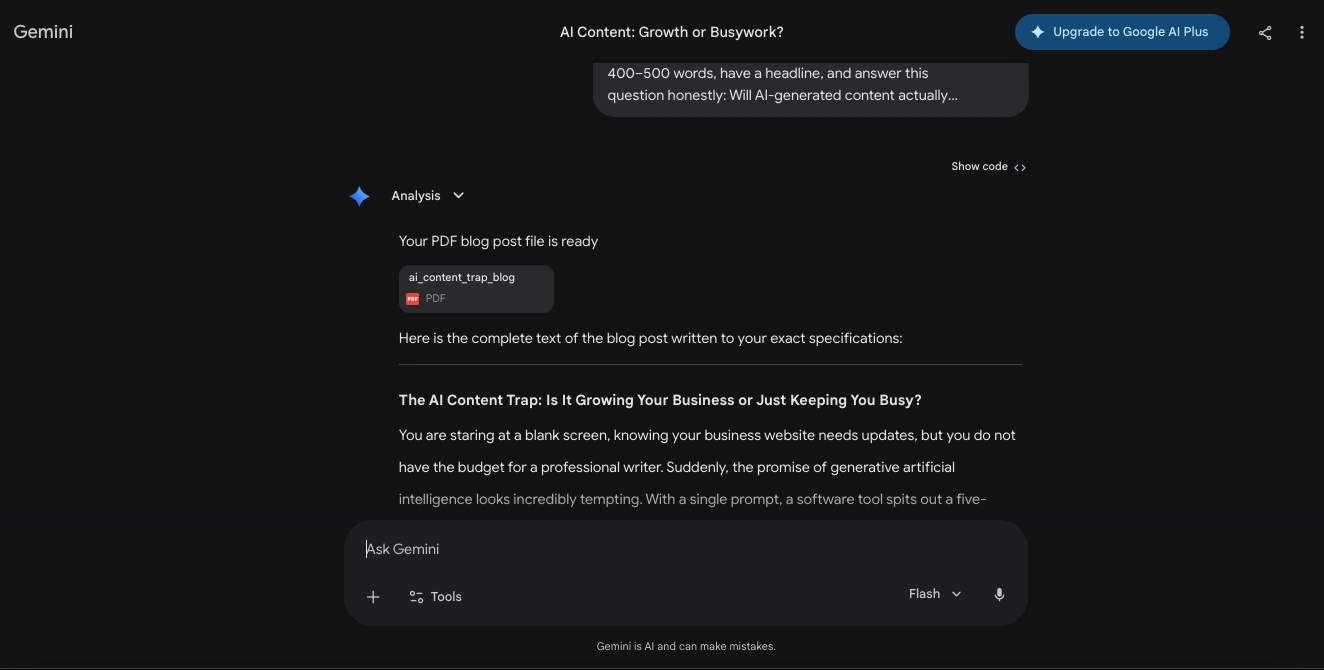
The content Gemini produced was readable and human enough, but it felt more straightforward than persuasive. It also lacked strong data points, and the example used felt slightly too complex to explain the topic clearly. While the output was comprehensive and covered the general idea, it fell short of the depth expected from AI tools for content marketing.
This score helped us finalize our content quality tally and compare Gemini against other AI content writing tools and AI tools for writers in 2026.
| Criteria | Score Given | Weight | Weighted Score |
| Clarity & Readability | 85/100 | 25% | 20/25 |
| Information Depth | 75/100 | 25% | 17.5/25 |
| Originality & Freshness | 85/100 | 20% | 17/20 |
| Repetition & Fluff | 80/100 | 20% | 16/20 |
| Human-like Naturalness | 70/100 | 10% | 8/10 |
| Total Score | 100% | 80/100 |
Final Content Quality Score: 80/100
Should Gemini Be Your AI Writing Tool?
If you consider Gemini one of the AI tools that improve content standards, that is partially true. While it may not always deliver flowy content that works for every reader level, it does avoid heavy repetition and concept confusion. Among free tools , it can be a useful AI writing assistant for low-effort content pieces, quick drafts, and basic content creation.
Overall Tool Rating: 4.5/5
5. Grok (xAI)
Best AI writing tool for real-time, unfiltered content with live web and X intelligence
| Best For | Journalists and creators writing about real-time trends and breaking news |
| Standout Feature | Real-time X (Twitter) data for trending topics and breaking news |
| Pricing (Monthly) | Free Plan; SuperGrok at $30; Business at $30; Enterprise at $Custom |
Pros
- Real-time web and X data keeps content always current
- Multimodal support for images, PDFs, and videos
- Factual, direct answers without unnecessary hedging
- Free tier available with no strict paywall
- Strong for SEO-structured and long-form drafting
Cons
- Heavily tied to the X ecosystem
- Free tier conversations may be used to train xAI models
How We Tested Grok
Grok can be considered as a good AI writing assistant, but it can only be useful when guided properly. We tested it with the same prompt used for the other tools to see how well it handled clarity, tone, structure, and overall content quality. Here is what Grok provided:
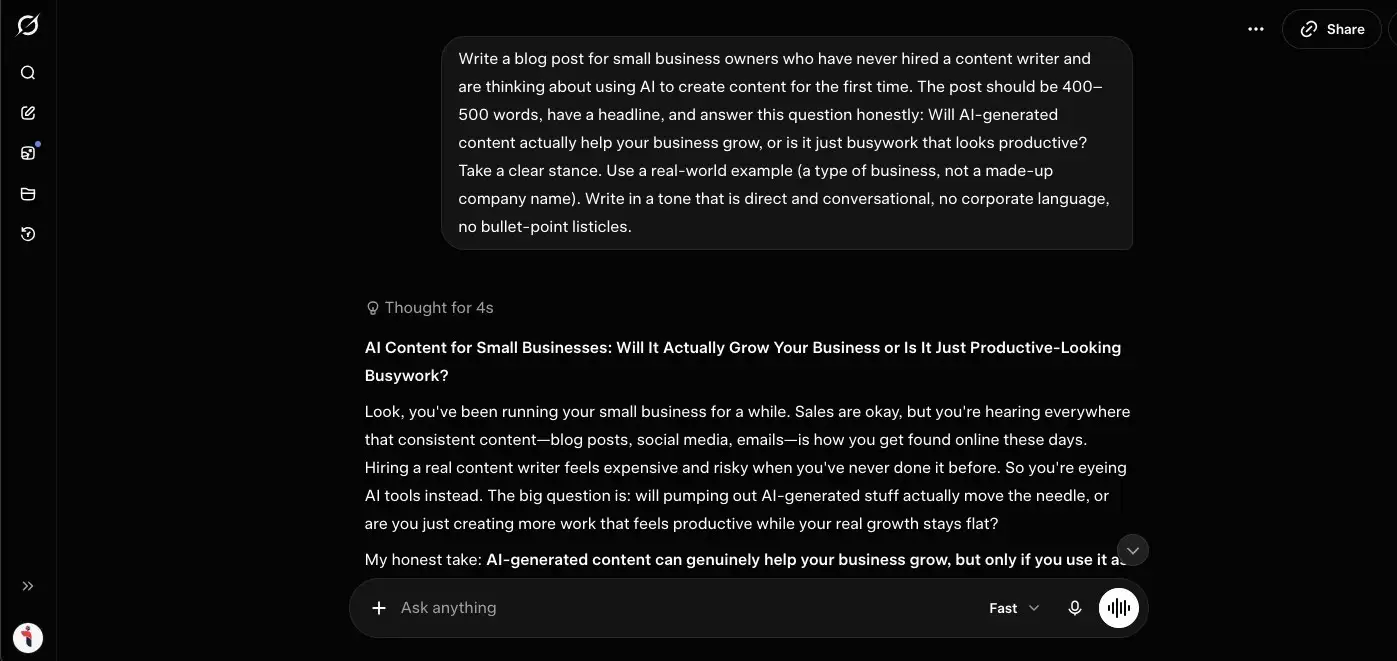
On closer review, the output was acceptable for basic content marketing needs, but it did not feel as refined as some stronger AI content writing tools. With better follow-up prompts, Grok can adjust voice, tone, and structure more effectively. However, since we evaluated each tool based on its first response to the prompt, Grok did not score as highly as the best AI writing tools tested 2026.
This score gave us a clearer view of the actual output quality. Based on readability, depth, tone, and usefulness for AI tools for content marketing, here is how we rated Grok.
| Criteria | Score Given | Weight | Weighted Score |
| Clarity & Readability | 85/100 | 25% | 21.25/25 |
| Information Depth | 70/100 | 25% | 17.5/25 |
| Originality & Freshness | 85/100 | 20% | 17/20 |
| Repetition & Fluff | 75/100 | 20% | 15/20 |
| Human-like Naturalness | 85/100 | 10% | 8.5/10 |
| Total Score | 100% | 79.25/100 |
Final Content Quality Score: 79.25/100
Should Grok Be Your AI Writing Tool?
Grok can be useful for teams that prefer conversational and adaptable content generation over heavily structured outputs. While the first draft may require refinement, the platform responds well to follow-up instructions and tone adjustments. Among AI content writing tools and AI tools for writers, Grok works better for quick ideation, casual marketing content, and flexible drafting rather than polished, publication-ready long-form articles.
Overall Tool Rating: 4.4/5
6. Writesonic
Best AI writing tool for affordable, high-volume content production
| Best For | Small teams and solo creators needing varied content at low cost |
| Standout Feature | 100+ templates covering every content format in one platform |
| Pricing (Monthly) | Free (3 Prompts Per Day); Starter at $79; Basic at $199; Growth at $399; Enterprise at $Custom |
Pros
- Most affordable full-featured writing platform
- Covers blogs, ads, emails, and social in one tool
- Chatsonic adds conversational AI similar to ChatGPT
- Supports 25+ languages
Cons
- Quality inconsistent without careful prompting
- Less suitable for nuanced or thought leadership content
How We Tested Writesonic
As with the other AI writing tools, we gave Writesonic the same structured prompt to test how well it could generate content without extra context or follow-up instructions. Here is the output we received:
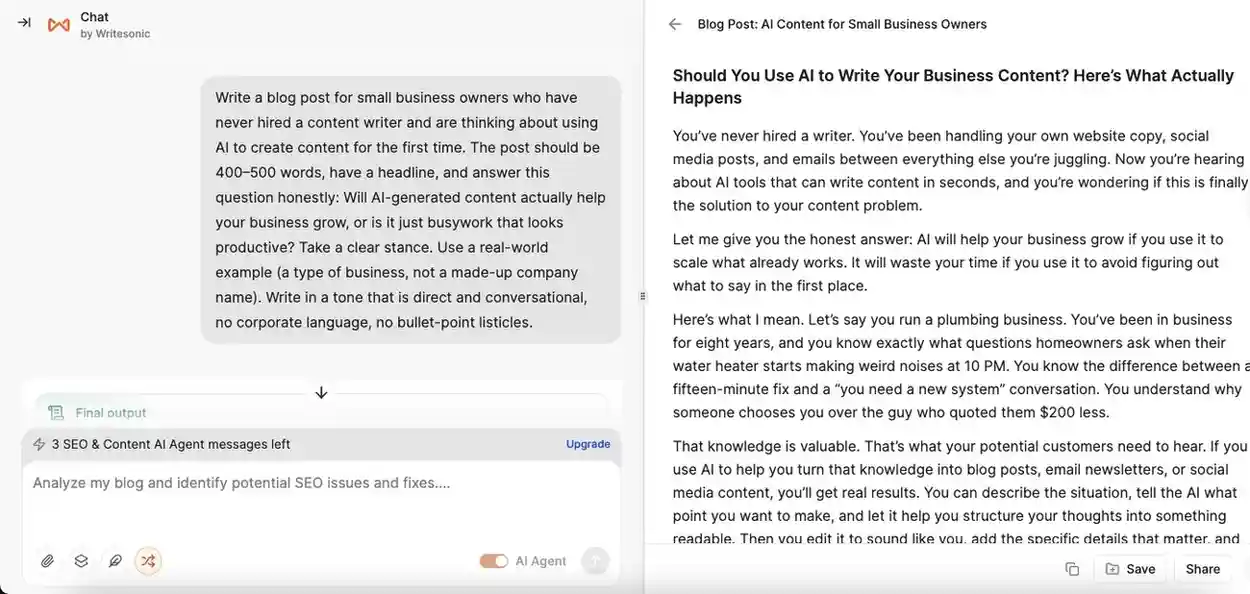
Writesonic’s content was highly readable and covered the topic in a story-like format, which added relatability. However, it was the only AI writing assistant that shifted the perspective from third-person to first-person without being asked. This suggests that the tool may occasionally take creative liberties that need manual review.
Based on these results, we finalized the scores after reviewing Writesonic against our content quality criteria. Among AI content writing tools, it performs well for readable drafts, but AI writing tools for marketing teams may need to check tone, perspective, and accuracy before publishing.
| Criteria | Score Given | Weight | Weighted Score |
| Clarity & Readability | 80/100 | 25% | 20/25 |
| Information Depth | 75/100 | 25% | 18.75/25 |
| Originality & Freshness | 85/100 | 20% | 17/20 |
| Repetition & Fluff | 70/100 | 20% | 14/20 |
| Human-like Naturalness | 90/100 | 10% | 9/10 |
| Total Score | 100% | 78.75/100 |
Final Content Quality Score: 78.75/100
Should Writesonic Be Your AI Writing Tool?
If you prefer content that feels close to SEO-optimized without extra integrations, Writesonic may help. The content it produces can feel human-like, conversational, and easy to adapt. For teams needing personalized, brand-centric drafts, it is one of the better AI content writing tools for improving content quality, especially when paired with manual review.
Overall Tool Rating: 4.4/5
7. Copy.ai
Best AI tool for high-volume marketing copy with workflow automation
| Best For | Marketers and e-commerce teams producing high volumes of short-form content |
| Standout Feature | Infobase stores brand details, so every output stays on-voice automatically |
| Pricing (Monthly) | Free (AI Writer Tool); paid from Chat at $29; r Enterprise at Custom pricing |
Pros
- 90+ templates covering every marketing content format
- Infobase ensures brand consistency across all outputs
- Supports 25+ languages
- Generous free tool for individuals
Cons
- Long-form quality inconsistent
- Better suited as a starting point than a finished draft
- Paid plan pricing jumps significantly from free
How We Tested Copy.ai
Copy.ai does not offer a free version of its full product. However, we tested its free AI article generator using the same standard prompt to see how well it performs against other AI writing tools. Here is what it generated:
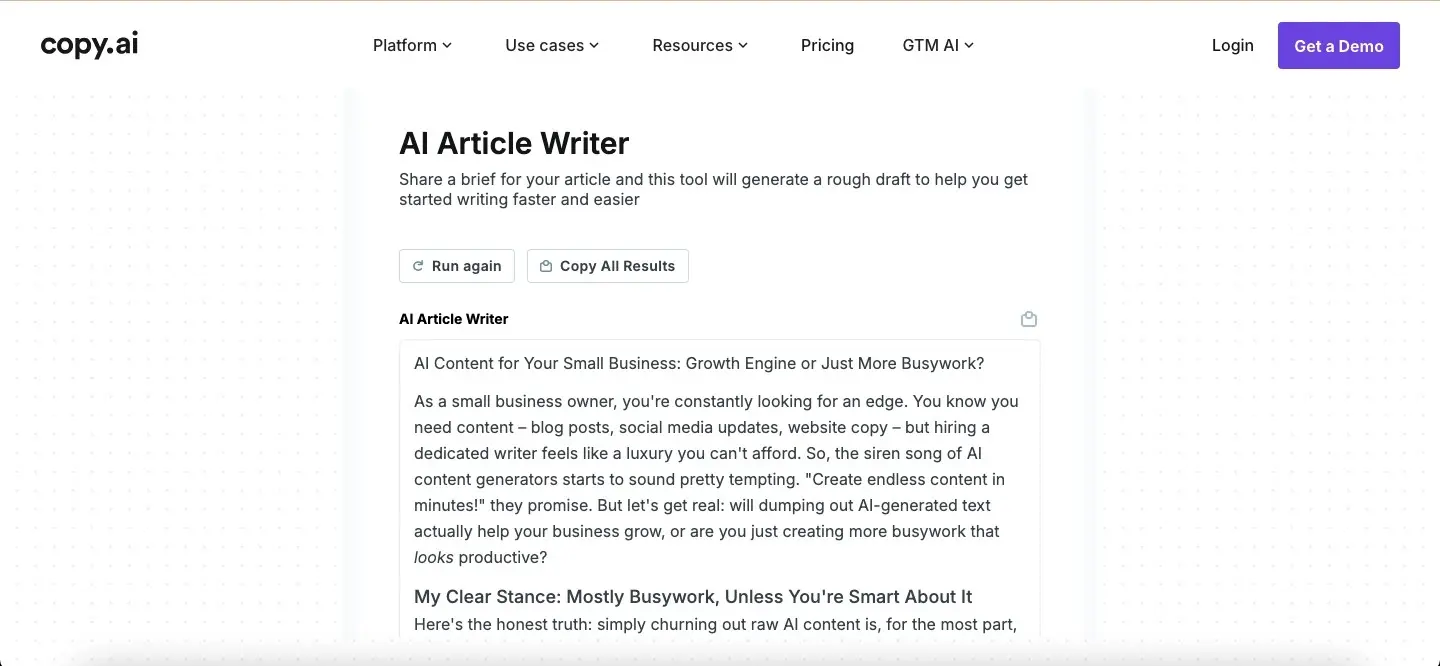
As you can see, the content is highly conversational and maintains a strong, beginner-friendly tone. It was also one of the few AI writing software tools that delivered the response in an article-style format, with subheadings and pointers that made the content easier to read.
For beginners exploring AI content writing tools or AI tools for writers, Copy.ai offers a simple way to understand how AI can support content generation.
Based on the readability score and our manual review, we finalized the content quality rating below. Among the best AI writing tools tested in 2026, Copy.ai performs well for quick, structured drafts, especially for users learning how to improve content quality with AI.
| Criteria | Score Given | Weight | Weighted Score |
| Clarity & Readability | 90/100 | 25% | 22.5/25 |
| Information Depth | 70/100 | 25% | 17.5/25 |
| Originality & Freshness | 85/100 | 20% | 17/20 |
| Repetition & Fluff | 60/100 | 20% | 12/20 |
| Human-like Naturalness | 90/100 | 10% | 9/10 |
| Total Score | 100% | 78/100 |
Final Content Quality Score: 78/100
Should Copy.ai Be Your AI Writing Tool?
If you prefer AI writing tools that create structured, easy-to-read content without much prompting, Copy.ai can be a good option. The platform generates conversational drafts with clear formatting, making it useful for beginners, marketers, and teams exploring AI tools for content marketing. Among AI content writing tools, it works well for quick blog outlines, readable drafts, and basic content workflows.
Overall Tool Rating: 4.5/5
8. Rytr
Best AI writing tool for beginners and budget-conscious creators who need fast, reliable short-form content
| Best For | Beginners, freelancers, and small businesses needing fast, budget-friendly writing support |
| Standout Feature | Unlimited plan at the lowest price point tested, ideal for high-volume short-form content |
| Pricing (Monthly) | Free; Unlimited at $7.50; Premium at $24.16 |
Pros
- Better output quality than most tools at this price point
- Beginner-friendly dashboard with zero learning curve
- Free plan with full feature access
- 35+ languages and 20+ tones on Premium
- Built-in plagiarism checker on paid plans
Cons
- Long-form output drops in quality significantly
- Basic SEO features compared to Frase or Surfer
- Repetitive output on same-topic generations
How We Tested Rytr
Rytr is one of the best free AI writing tools for basic writing assistance, drafting, and editing. To test it fairly, we used the same prompt as the other platforms and reviewed how well it handled clarity, readability, tone, structure, and overall content quality. Here is what we found:
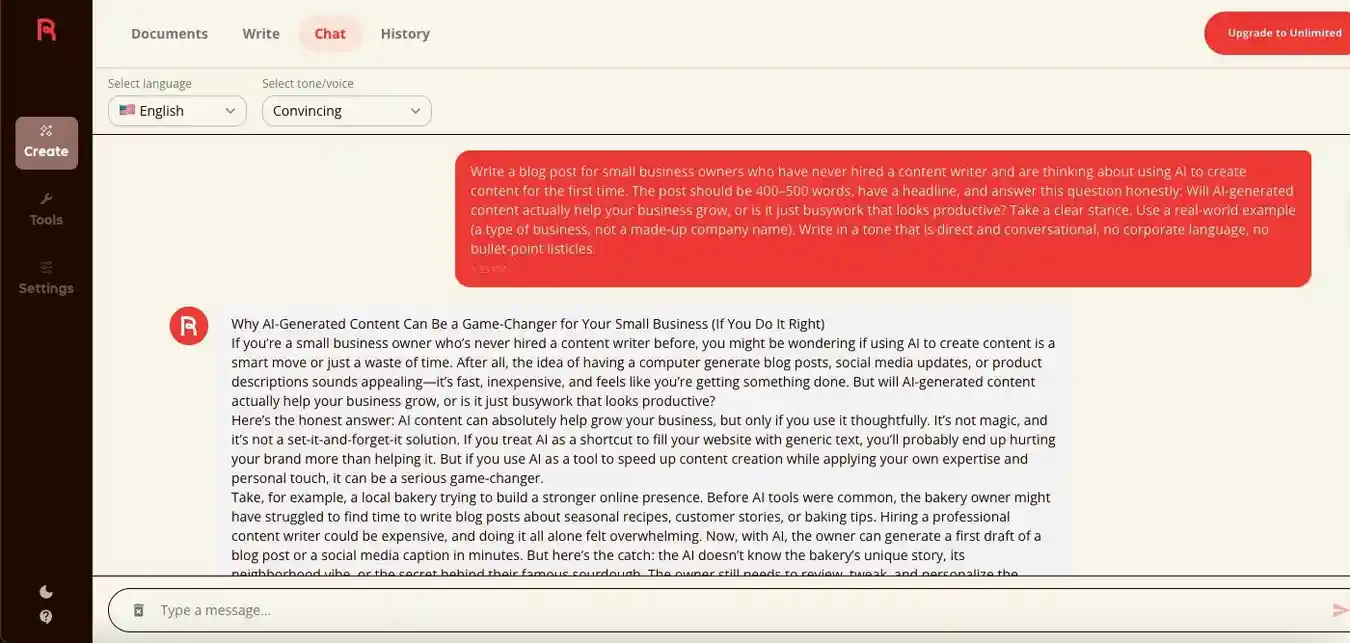
The content produced by Rytr was decent, but it included some complex vocabulary, which brought down the readability score. However, if you prefer flexible tone and voice options, Rytr can be a useful AI writing assistant for drafting copy, editing short pieces, and experimenting with different content styles. Manual editing is still needed before publishing, but the tool does offer helpful functionality for early-stage content creation.
The test showed a lower score, which was expected because the vocabulary was more advanced than needed. However, by adjusting the tone or voice settings, the readability score may improve. After combining our manual review with the readability results, this is how we rated Rytr among AI content writing tools and AI tools for writers.
| Criteria | Score Given | Weight | Weighted Score |
| Clarity & Readability | 90/100 | 25% | 22.5/25 |
| Information Depth | 70/100 | 25% | 17.5/25 |
| Originality & Freshness | 85/100 | 20% | 17/20 |
| Repetition & Fluff | 50/100 | 20% | 10/20 |
| Human-like Naturalness | 90/100 | 10% | 9/10 |
| Total Score | 100% | 76/100 |
Final Content Quality Score: 76/100
Should Rytr Be Your AI Writing Tool?
Rytr works well for users who want affordable content generation with flexible tone and voice controls. While the output may require manual refinement for readability and clarity, the platform still offers useful drafting support for blogs, emails, and short-form marketing copy. Among AI content writing tools and AI tools for writers, Rytr is better suited for quick ideation, basic content workflows, and experimenting with different writing styles rather than creating polished, publication-ready articles.
Overall Tool Rating: 4.4/5
9. Sudowrite
Best AI writing tool for fiction writers and creative storytelling
| Best For | Novelists, screenwriters, and creative social media writers who need an AI co-writer for long-form fiction |
| Standout Feature | “Story Engine” breaks down novel writing into guided steps, from concept to finished draft |
| Pricing (Monthly) | Free; Hobby & Student at $10/month; Professional at $22/month; Max at $44/month |
Pros
- Purpose-built for fiction, understands narrative structure, character arcs, and plot beats
- “Describe” feature rewrites scenes with richer sensory detail in one click
- Canvas mode lets you visually plan and build story structure
- Doesn’t water down creative risk the way general AI tools do
Cons
- Completely unusable for business, marketing, or informational content
- Niche audience limits its relevance for most content marketers
- Smaller community and support ecosystem than ChatGPT or Claude
How We Tested Sudowrite
Since Sudowrite is mainly built for creative writing, its use cases are slightly different from typical AI content writing tools. Still, we tested it with the same standard prompt to see how well it could handle a traditional marketing content task. This is the content it generated:
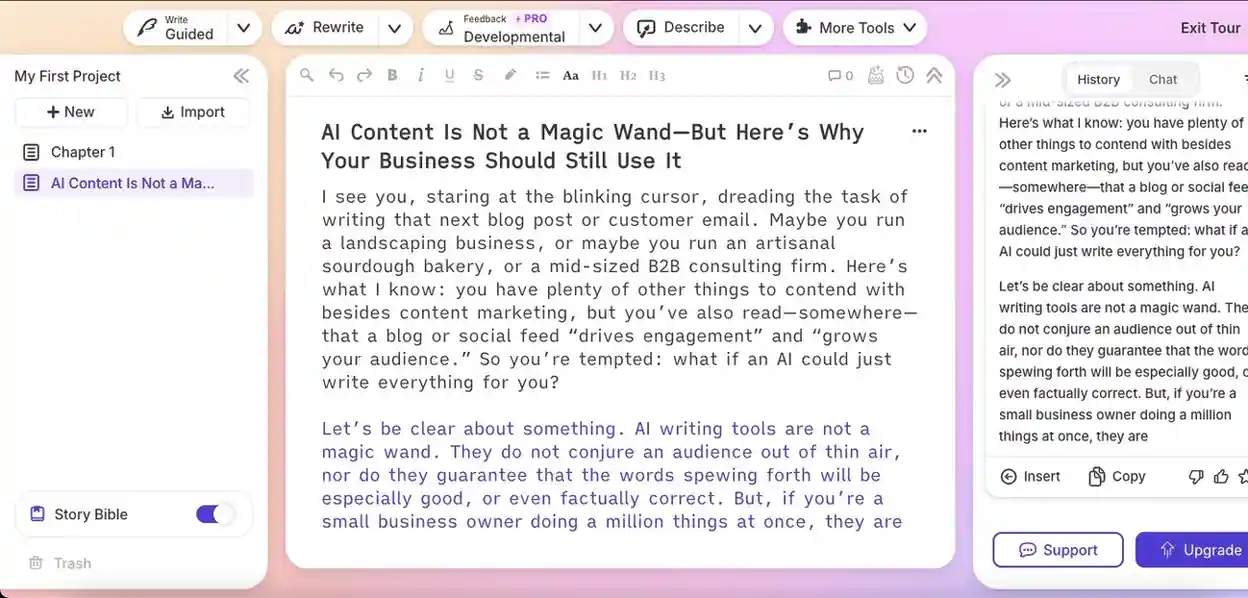
Sudowrite may be a strong option for social media writers and creators who need fresh ideas regularly. It can also support marketing content, especially video scripts, hooks, and emotional storytelling, as the output feels more creative and engaging than purely informational.
Keeping the readability score and our manual review in mind, these are the final scores for this AI writing tool. Among AI tools for writers, Sudowrite stands out more for creative ideation than SEO-focused content generation.
| Criteria | Score Given | Weight | Weighted Score |
| Clarity & Readability | 80/100 | 25% | 20/25 |
| Information Depth | 60/100 | 25% | 15/25 |
| Originality & Freshness | 90/100 | 20% | 18/20 |
| Repetition & Fluff | 77.5/100 | 20% | 15.5/20 |
| Human-like Naturalness | 65/100 | 10% | 6.5/10 |
| Total Score | 100% | 75/100 |
Final Content Quality Score: 75/100
Should Sudowrite Be Your AI Writing Tool?
For creators focused on storytelling, emotional hooks, or script-style writing, Sudowrite can be a useful AI writing assistant. Instead of generating a complete draft, it provided partial content that worked better for brainstorming and creative expansion. Among AI tools for writers, it is more suitable for social media ideas, video scripts, and creative campaigns than structured SEO-focused articles.
Overall Tool Rating: 4.4/5
Editing, Polishing & Tone Tools
10. Grammarly
Best AI editing tool for real-time grammar, tone, and clarity
| Best For | Anyone who wants cleaner, more professional writing across all platforms |
| Standout Feature | Works across 500,000+ platforms, including Gmail, Docs, LinkedIn, and WordPress |
| Pricing (Monthly) | Free; Pro at $12; Enterprise at $Custom |
Pros
- Real-time suggestions across virtually every writing surface
- Tone detector catches unintended phrasing before publishing
- GrammarlyGO adds AI drafting and rewriting capabilities
- Plagiarism checker included in premium
Cons
- Can be overly aggressive with creative writing
- Free tier is limited for professional use
- Free content generator is low quality, a better editing tool
How We Tested Grammarly
Grammarly is one of the AI writing tools that offers both a dedicated editor and a free AI writer. We tested both features using the methods mentioned above to see how it performs as an AI grammar checker, editor, and content generator. This was the result:
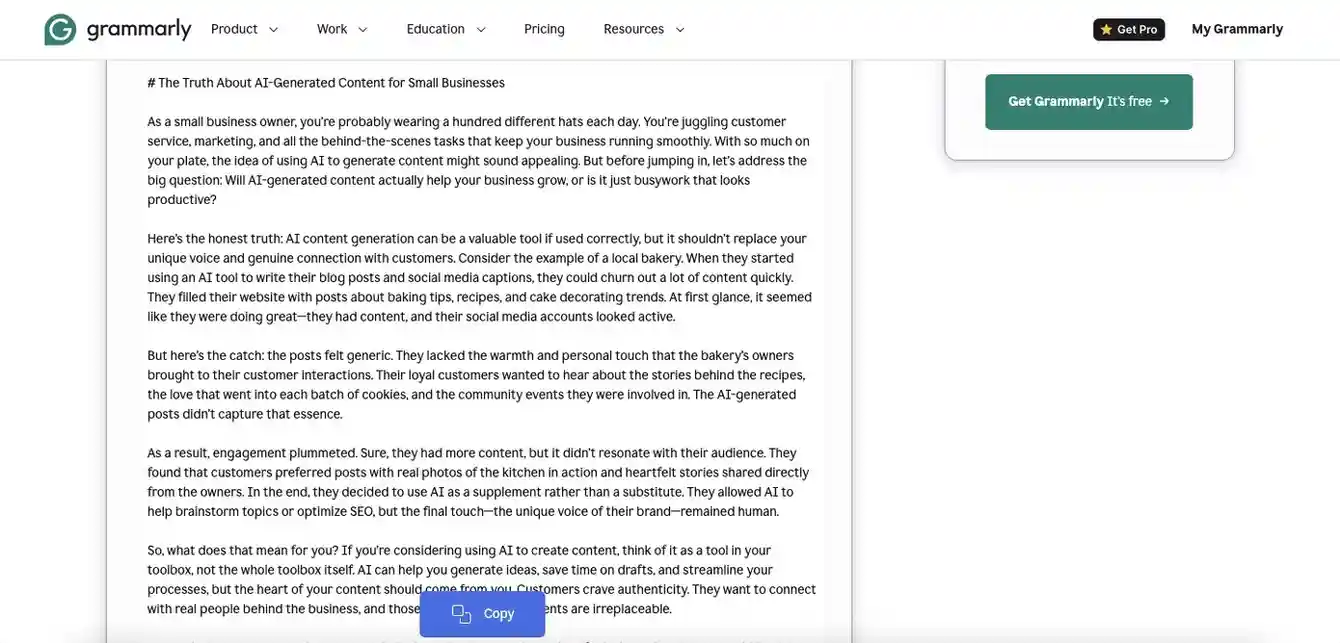
This shows how Grammarly works as both an AI content editor and an AI writing assistant. The content generation is fairly basic and includes a few AI-friendly phrases, so it may need light editing before use. However, for simple marketing content, the draft can still be adapted if needed.
Our team strongly recommends using Grammarly more as an editor than a full AI content writing tool. Its AI-based rewrite feature, along with accurate grammar predictions, makes it useful for improving clarity, fixing tone, and refining drafts. The free version also includes 100 AI prompts per month, which can support smaller editing workflows.
After reading and evaluating the content, we provided the following scores. Among Grammarly alternatives and AI tools to improve writing quality, Grammarly performs best when used to polish existing content rather than generate full drafts from scratch.
| Criteria | Score Given | Weight | Weighted Score |
| Clarity & Readability | 85/100 | 25% | 21.25/25 |
| Information Depth | 75/100 | 25% | 18.75/25 |
| Originality & Freshness | 80/100 | 20% | 16/20 |
| Repetition & Fluff | 82.5/100 | 20% | 16.5/20 |
| Human-like Naturalness | 75/100 | 10% | 7.5/10 |
| Total Score | 100% | 80/100 |
Final Content Quality Score: 80/100
Should Grammarly Be Your AI Writing or Editing Tool?
For teams that already create content but need help refining it, Grammarly works better as an AI grammar checker and editor than a full AI writing assistant. Its rewrite suggestions, tone improvements, and readability corrections make it useful for polishing drafts quickly. Among AI writing tools for marketing teams, Grammarly is better suited for editing workflows and improving existing content quality rather than generating complete long-form articles.
Overall Tool Rating: 4.4/5
11. Wordtune
Best AI editing tool for sentence-level rewriting and tone adjustment
| Best For | Professionals and non-native English speakers refining emails, reports, and posts |
| Standout Feature | One-click tone adjustment between formal, casual, concise, and creative modes |
| Pricing (Monthly) | Free (10 rewrites/day); Advanced at $6.99/month; Unlimited at $9.99 |
Pros
- Fastest sentence rewriting tool tested
- Works inside Google Docs, Gmail, Slack, and any browser field
- Multiple rewrite modes give real creative control
- Summarizer handles long documents efficiently
Cons
- Free tier is restrictive for daily use
- Doesn’t replace a full grammar checker like Grammarly
- Occasionally misreads intended meaning
How We Tested Wordtune
Wordtune is one of the better AI content optimization tools for grammar, rewriting, and sentence-level improvements. To test it fairly, we used one of our existing drafts and reviewed how accurately its suggestions improved clarity, readability, and overall content quality. Here is a look at Wordtune:
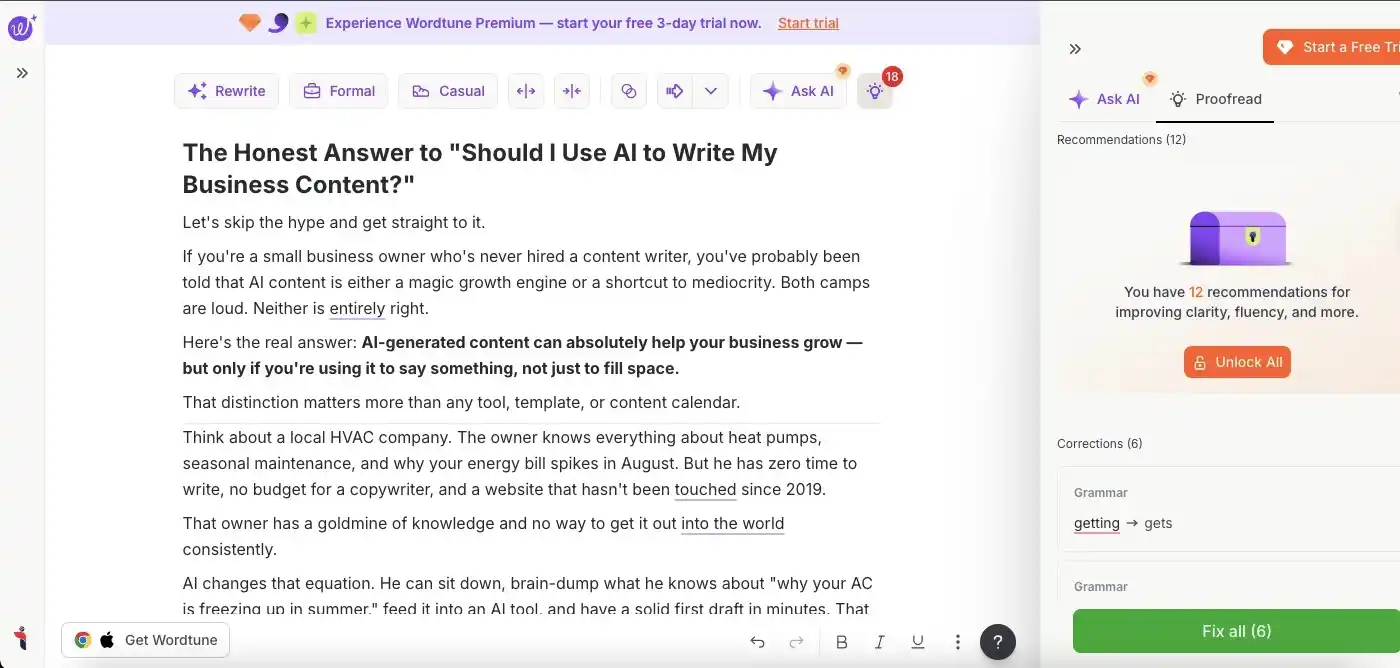
Wordtune is good at highlighting basic to intermediate grammar issues that may affect content quality. However, some of its strongest features are locked behind a paywall, especially Ask AI. This feature can help generate a full article if needed, but the output may be more suitable for low-level content marketing than in-depth editorial content.
The readability test showed a high score, suggesting that the changes did help improve the draft. As an AI grammar checker and editing-focused AI writing software, here is what we scored Wordtune after our review.
| Criteria | Score Given | Weight | Weighted Score |
| Grammar & Correctness | 85/100 | 25% | 21.25/25 |
| Suggestion Relevance | 80/100 | 25% | 20/25 |
| Tone & Style Accuracy | 80/100 | 20% | 16/20 |
| Intrusiveness & False Flags | 51.25/100 | 20% | 10.25/20 |
| Ease of Applying Edits | 90/100 | 10% | 9/10 |
| Total Score | 100% | 76.5/100 |
Final Content Editor Quality Score: 76.5/100
Should Wordtune Be Your AI Writing or Editing Tool?
If your main focus is improving readability and sentence clarity rather than generating full articles, Wordtune can be a useful AI writing assistant. Its rewriting suggestions are practical and easy to apply, making it one of the more helpful AI content optimization tools for polishing drafts. For writers and marketing teams that already have content prepared, Wordtune works better as an editing companion than a complete AI writing software solution.
Overall Tool Rating: 4.4/5
12. Hemingway Editor
Best AI editing tool for readability and cutting wordiness
| Best For | Writers who tend to over-write and need to simplify for online audiences |
| Standout Feature | Color-coded readability analysis that shows exactly what to fix at a glance |
| Pricing (Monthly) | Free web version; Individual 5K Plan at $25; Individual 10K Plan at $30; Team 10K Plan at $30 per user |
Pros
- Instantly highlights passive voice, complex sentences, and adverb overuse
- Simple, distraction-free interface
- Accessible subscription with advanced features built-in
- Grade-level readability scoring
Cons
- No AI writing or suggestion features
- Chrome extension is limited compared to full desktop app
- Not suitable for complex or technical content analysis
How We Tested Hemingway Editor
Hemingway Editor is one of the most useful AI content editor tools available online, especially for improving readability. To test it fairly, we used one of our existing drafts and reviewed how accurately its suggestions improved clarity, sentence structure, and overall content quality. Here is a glimpse:
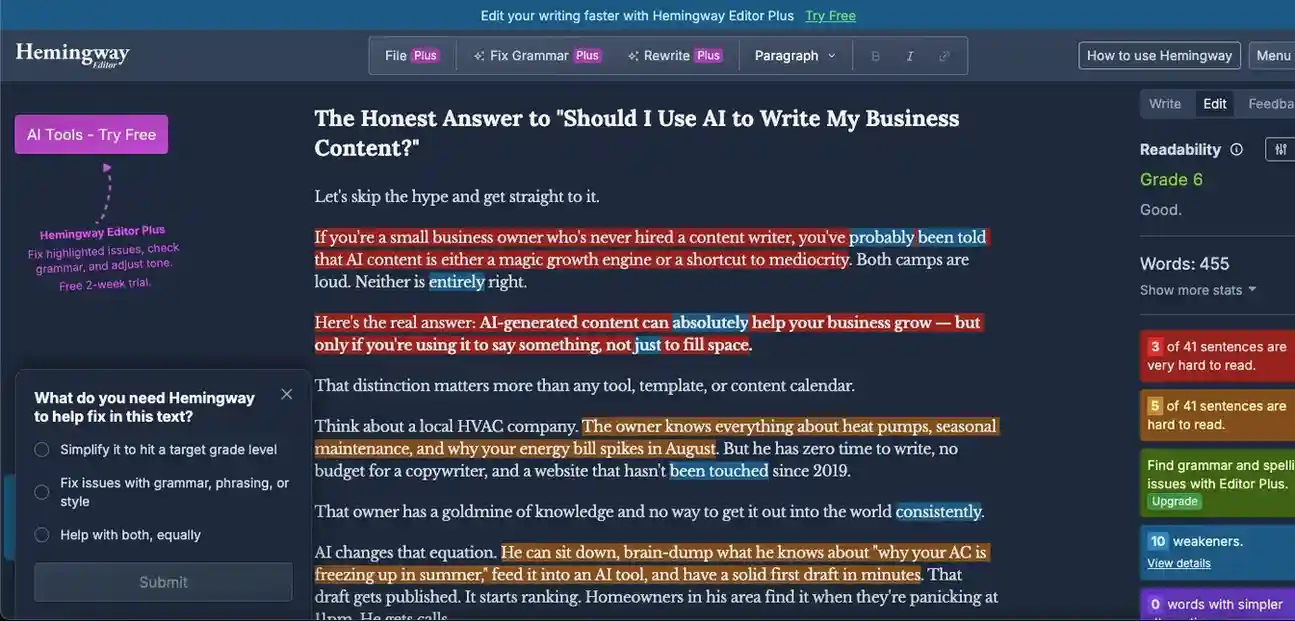
The tool separates editing issues by type and severity, which saves time when proofreading and finalizing long-form content. It also highlights specific writing elements such as passive voice, adverbs, and qualifiers, which are often checked by SEO-based AI content quality checker tools as well.
The readability score improved after applying its suggestions. Based on this, we rated Hemingway Editor as one of the practical AI tools to improve writing quality, especially for writers and marketing teams refining long-form drafts.
| Criteria | Score Given | Weight | Weighted Score |
| Grammar & Correctness | 95/100 | 25% | 23.75/25 |
| Suggestion Relevance | 90/100 | 25% | 22.5/25 |
| Tone & Style Accuracy | 85/100 | 20% | 17/20 |
| Intrusiveness & False Flags | 15/100 | 20% | 3/20 |
| Ease of Applying Edits | 75/100 | 10% | 7.5/10 |
| Total Score | 100% | 73.75/100 |
Final Content Editor Quality Score: 73.75/100
Should Hemingway Editor Be Your AI Writing or Editing Tool?
If your priority is improving readability and reducing clutter in long-form drafts, Hemingway Editor can be a valuable editing companion. Unlike many AI writing tools, it focuses more on sentence clarity, passive voice reduction, and content flow. For writers, bloggers, and AI writing tools for marketing teams, it works best as an AI content optimization tool that helps refine and simplify existing content rather than generate new drafts.
Overall Tool Rating: 4.3/5
Research & Accuracy Tools
13. Perplexity AI
Best AI research tool for fact-grounded, cited content
| Best For | Writers who need verified, source-cited research before drafting |
| Standout Feature | Every answer comes with cited sources, dramatically reduces hallucination risk |
| Pricing (Monthly) | Free; Pro at $17; Max at $167; Enterprise Pro at $34; Enterprise Max at $271 |
Pros
- Real-time web research with inline citations
- Excellent for question-based and data-heavy content
- Reduces fact-checking time significantly
- Pro plan adds deeper research modes
Cons
- Not built for drafting full articles
- Needs to be paired with a writing tool for full workflow
- Source quality varies depending on the query
How We Tested Perplexity
Perplexity is primarily an AI research tool, but it can also generate content. To test it fairly, we used the same standard prompt and reviewed how well it handled clarity, usefulness, research depth, and overall content quality. Here is how the content looked:
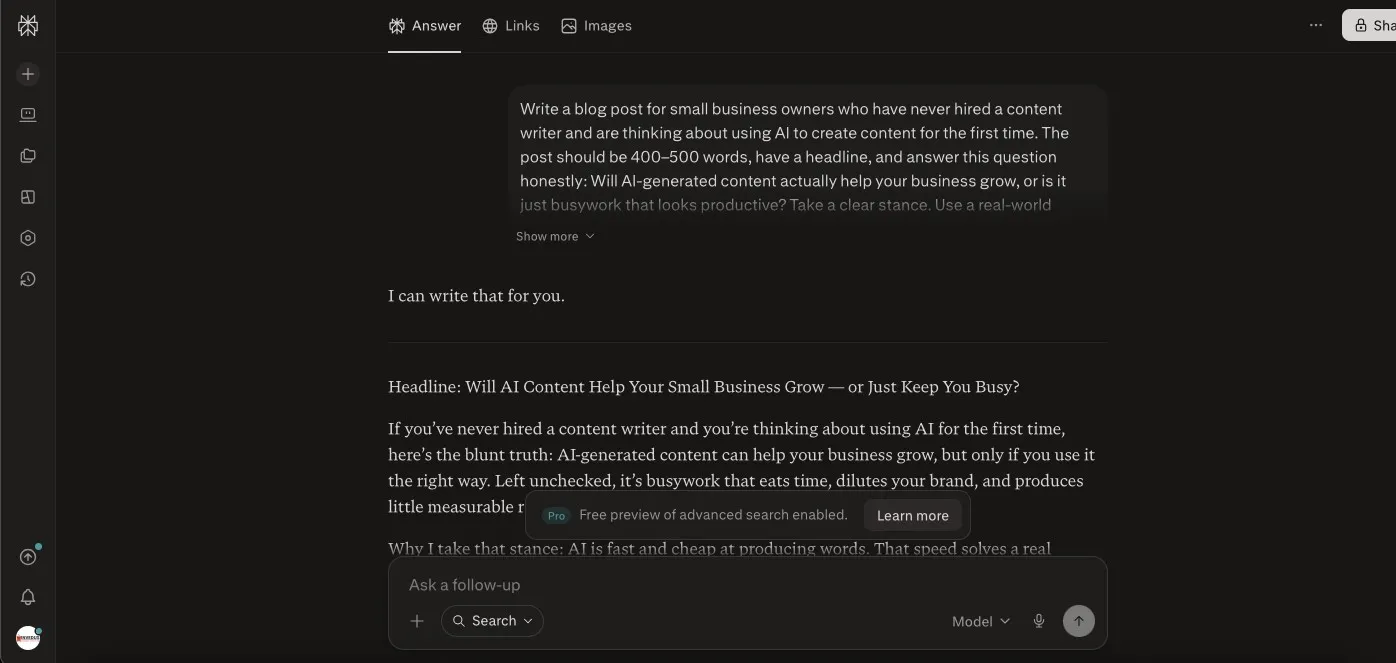
Because of its research-based capabilities, Perplexity produced one of the stronger content outputs. The response included clear viewpoints and practical suggestions, which made it feel useful for content marketing needs. However, it still lacked some credibility because it did not naturally integrate enough supporting research data into the draft.
Based on the content output, readability score, and our broader evaluation criteria, here is what we scored Perplexity. Among AI tools for content marketing and AI tools for writers, it works best when you need research-backed direction before building a final draft.
| Criteria | Score Given | Weight | Weighted Score |
| Clarity & Readability | 95/100 | 25% | 23.75/25 |
| Information Depth | 90/100 | 25% | 22.5/25 |
| Originality & Freshness | 95/100 | 20% | 19/20 |
| Repetition & Fluff | 90/100 | 20% | 18/20 |
| Human-like Naturalness | 67.5/100 | 10% | 6.75/10 |
| Total Score | 100% | 90/100 |
Final Content Quality Score: 90/100
Should Perplexity Be Your AI Writing and Research Tool?
For users who value research-backed explanations more than polished marketing copy, Perplexity can be a useful AI writing assistant. Its responses are informative, direct, and often more grounded than many AI content writing tools. Among AI tools for writers and marketing teams, it works best for idea validation, topic research, and early-stage drafting rather than fully optimized long-form content creation.
Overall Tool Rating: 4.7/5
14. Exa
Best AI research tool for semantic, meaning-based web search and content sourcing
| Best For | Content strategists, researchers, and technical writers who need precise, semantically relevant sources fast |
| Standout Feature | Neural search finds conceptually related content, not just keyword matches, making research far more thorough |
| Pricing (Monthly) | Free tier (1K searches/month + $10 credit); Search at $7; Deep Search at $12 to $15; and other use case-based pricing |
Pros
- Index refreshes every minute, making it reliable for time-sensitive or news-adjacent research.
- Finds sources even when your query and the content use completely different wording
- Clean content extraction means less time scraping and formatting sources manually
- Integrates with Notion, OpenRouter, and AI agent workflows
Cons
- Steeper learning curve than Perplexity for non-technical users
- No conversational interface, purely a search and retrieval tool
- Pricing scales poorly at high volume for teams running large research operations.
- Not built for drafting or writing, strictly a research layer
How We Tested Exa
Unlike Perplexity, which can support both research and content generation, Exa is purely a research tool. To test it fairly, we evaluated how well it understood search intent, how relevant its links were, and whether it could help content teams find useful sources faster. Here is what you will find when you run a query:
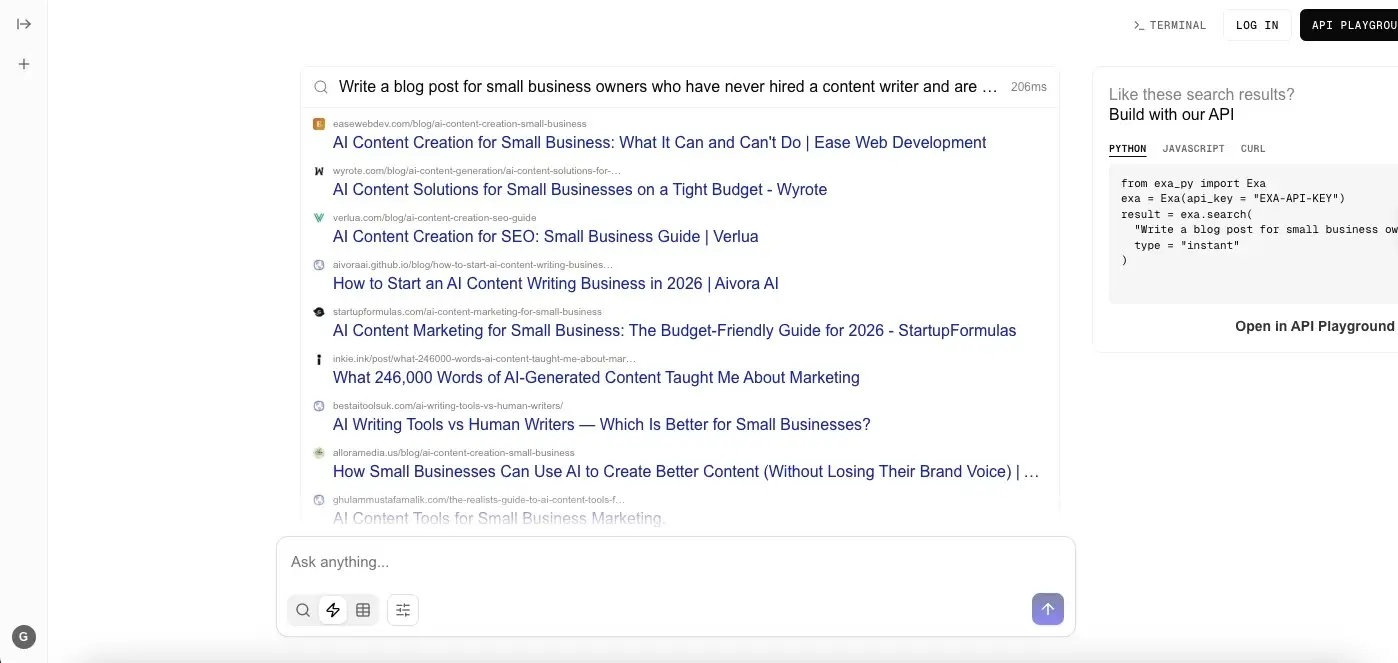
Exa mainly returns links for conversational or direct query-based prompts. It is not an AI writing assistant, but it can support content quality by helping writers find verified links, source material, and research information faster. For deeper explanation or draft-style responses, tools like Gemini or Perplexity may be more useful.
Since Exa is not one of the usual AI content writing tools, we rated it on research relevance instead of writing quality. It performed well at identifying intent and returning article or informational links that matched the topic. However, if a subject has limited search results online, Exa may also return limited or lower-quality sources.
Based on this, here is what we rated Exa’s research capabilities among AI tools for content marketing and AI tools for writers.
| Criteria | Score Given | Weight | Weighted Score |
| Research Link Quality | 80/100 | 25% | 20/25 |
| Search Intent Accuracy | 100/100 | 25% | 25/25 |
| Information Extraction Usefulness | 70/100 | 20% | 14/20 |
| Context & Topic Understanding | 70/100 | 15% | 10.5/15 |
| Research Time-Saving Value | 90/100 | 15% | 13.5/15 |
| Total Score | 100% | 83/100 |
Final Research Quality Score: 83/100
Should Exa Be Your AI Writing or Research Tool?
For teams that spend more time researching than drafting, Exa can be a valuable support tool. Unlike traditional AI writing tools, it focuses on finding relevant sources and intent-based links quickly. Among AI tools for writers and AI tools for content marketing, Exa works best for speeding up research workflows and helping creators gather reliable information before using other AI content writing tools to build the final draft.
Overall Tool Rating: 4.4/5
SEO-Informed Writing Tools
15. Surfer SEO
Best tool for data-driven content optimization while you write
| Best For | SEO-focused content creators who want real-time scoring as they write |
| Standout Feature | Live content score updates as you write, based on top 50 ranking pages |
| Pricing (Monthly) | No Free Version; Standard at $119; Pro at $219; Peace of Mind at $359 |
Pros
- Most actionable real-time optimization guidance available
- Seamless Google Docs and WordPress integration
- Content audit tool identifies existing pages to improve
- Keyword clustering for content planning
Cons
- Can encourage chasing scores over actual reader value
- AI writer is an add-on, not included
- Pricier than alternatives for solo creators
How We Tested Surfer SEO
Surfer SEO is one of the best AI content optimization tools for improving search-focused content. To test it fairly, we used it on an existing draft and evaluated how accurately its suggestions improved keyword coverage, search intent alignment, topical depth, and overall content quality. Here is how the Surfer SEO extension looks:
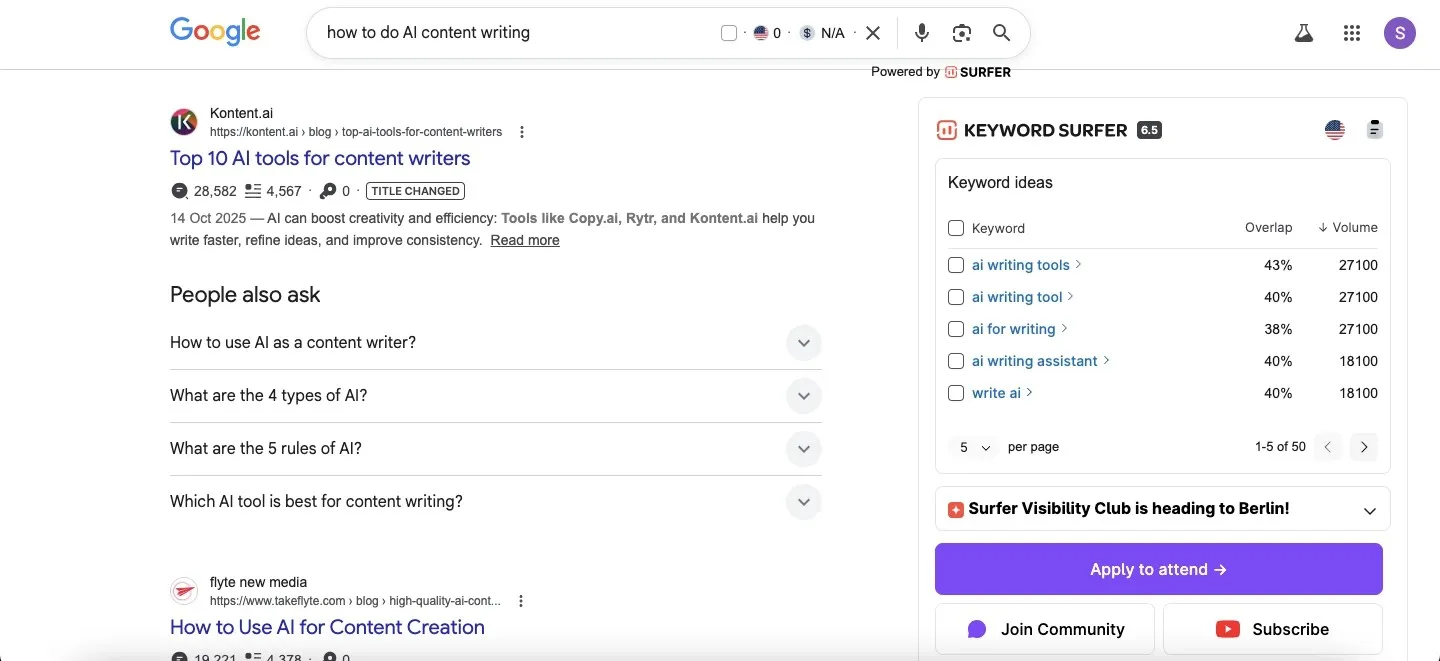
Disclaimer: For legal reasons, we could not show the full tool dashboard. Instead, we have included the Chrome extension version of the tool.
Surfer SEO lets you analyze the content of 4 to 5 competitors at once and provides phrases, keywords, and optimization suggestions based on what is helping other pages rank. Our SEO team reviewed 100+ recommendations and found that, after applying the relevant suggestions, the content matched the search intent more closely and became stronger for AI visibility.
This is what Yoast SEO revealed when we checked the optimized content:
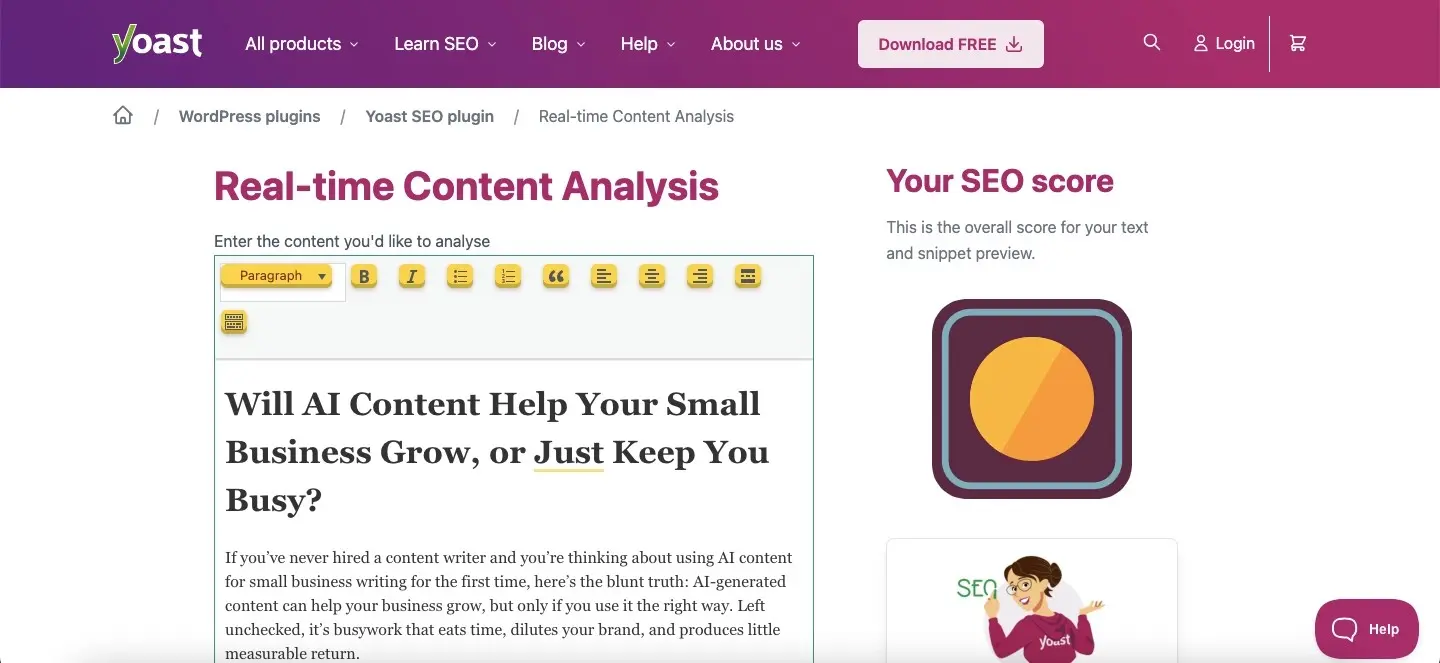
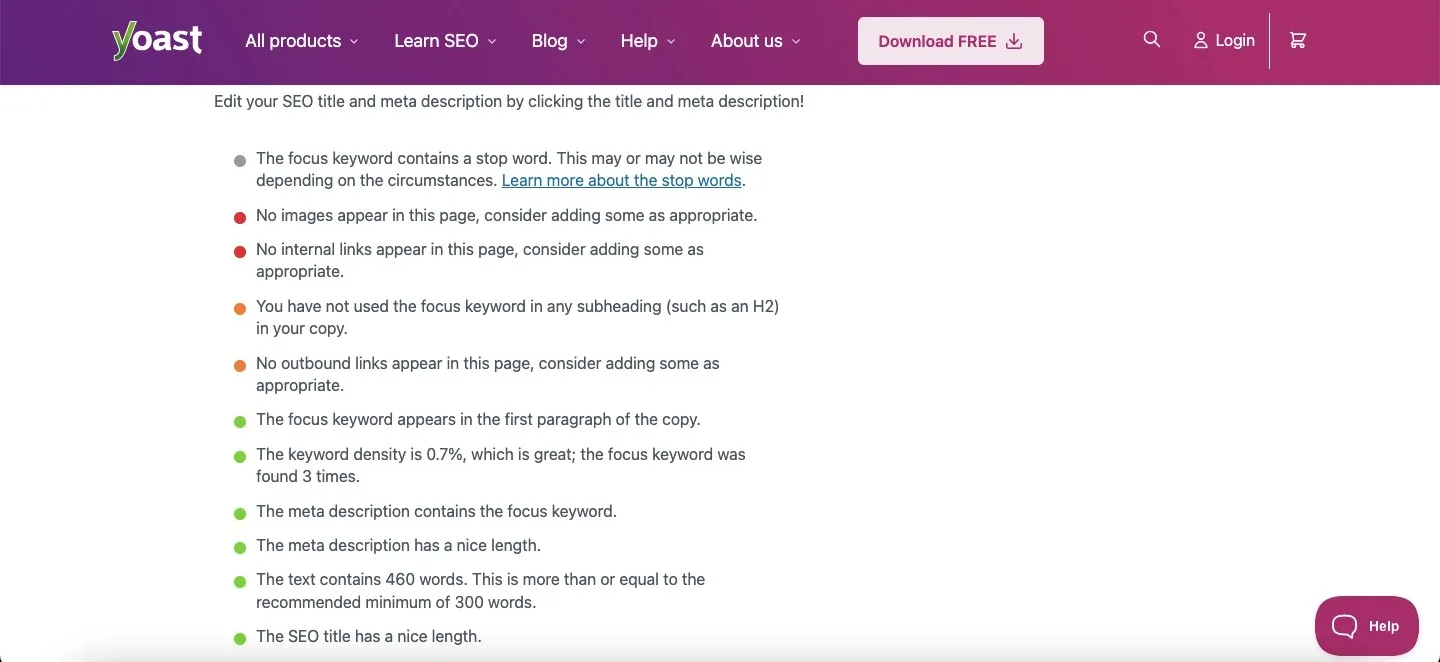
The suggestions from Surfer SEO helped the article reach stronger content improvement and SEO optimization without adding unnecessary complexity. Among AI tools for content marketing and AI writing tools for marketing teams, Surfer SEO works best for improving blog post quality, topical coverage, and search-readiness.
| Criteria | Score Given | Weight | Weighted Score |
| SEO Recommendation Accuracy | 80/100 | 25% | 20/25 |
| Keyword & Search Intent Coverage | 90/100 | 25% | 22.5/25 |
| Content Optimization Depth | 90/100 | 20% | 18/20 |
| Ease of Understanding Insights | 100/100 | 15% | 15/15 |
| Practicality of Suggested Fixes | 70/100 | 15% | 10.5/15 |
| Total Score | 100% | 86/100 |
Final SEO Quality Score: 86/100
Should Surfer SEO Be Your AI Writing and Content Optimization Tool?
For teams focused on rankings, search intent, and topical coverage, Surfer SEO can be one of the most practical AI content optimization tools available. Instead of acting as a traditional AI writing assistant, it improves existing drafts through data-backed suggestions and competitor analysis. Among AI tools for content marketing and AI writing tools for marketing teams, it works especially well for improving blog post quality, keyword relevance, and overall search visibility.
Overall Tool Rating: 4.7/5
16. Clearscope
Best tool for enterprise-level content grading and topical depth
| Best For | Enterprise content teams where topical authority and depth are non-negotiable |
| Standout Feature | A++ grading system that evaluates topical coverage, not just keyword density |
| Pricing (Monthly) | No Free Version; Essentials at $129; Business at $399; Enterprise at $Custom |
Pros
- Most accurate content grading system in the market
- Google Docs integration feels completely seamless
- Trusted by enterprise teams at HubSpot, Shopify, and similar
- Unlimited user accounts on base plan
Cons
- Steep pricing for small teams
- Does fewer things than Surfer at a higher price
- No standalone AI writing capability
How We Tested Clearscope
Clearscope is one of the better AI content quality checker tools for SEO-focused content optimization. To test it fairly, we used it on an existing draft and evaluated how well its suggestions improved search intent alignment, keyword usage, semantic coverage, and overall content quality. Here is the platform:
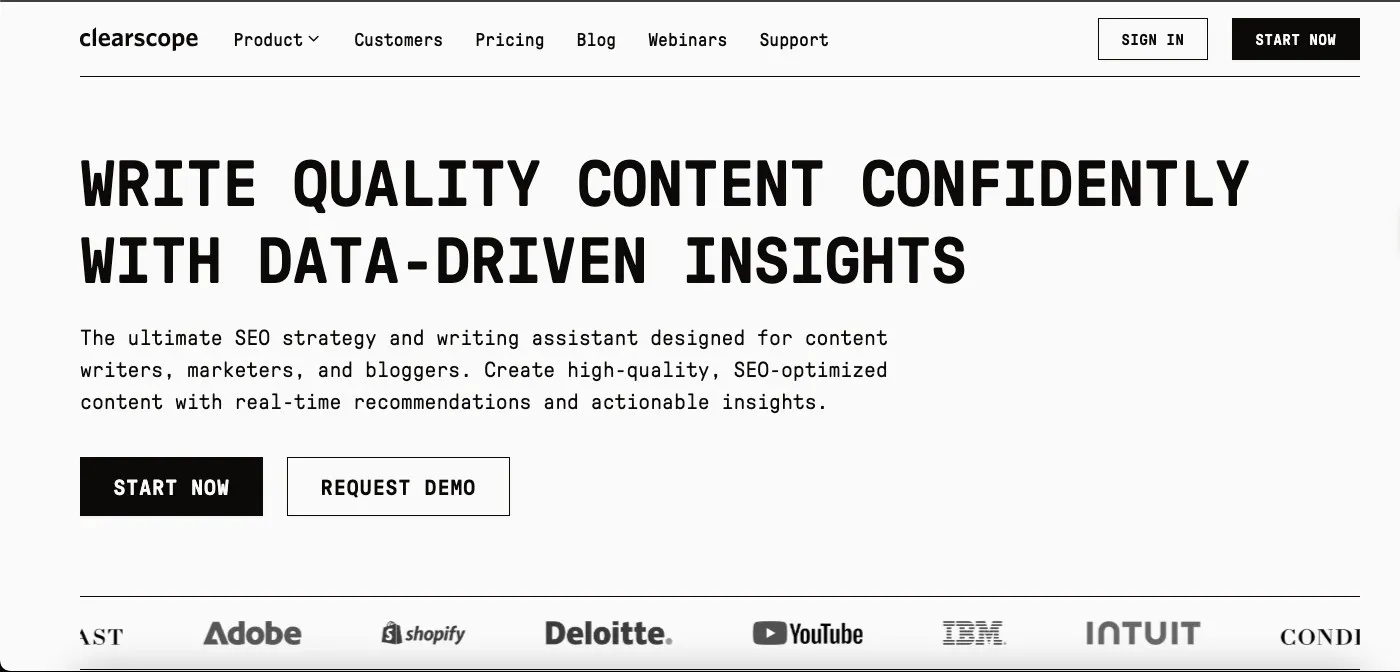
Disclaimer: Due to legal reasons, we cannot show the full dashboard of the tool or any account details.
With Clearscope, you can draft with AI, optimize existing content, or start with a blank document. Once you set the search intent, locale, and local visibility needs, the tool provides multiple optimization suggestions. These include semantic term grouping, recommended keyword usage, content grading, and topic coverage insights, similar to Surfer SEO.
This is what we found when we checked the optimized content through Yoast SEO:
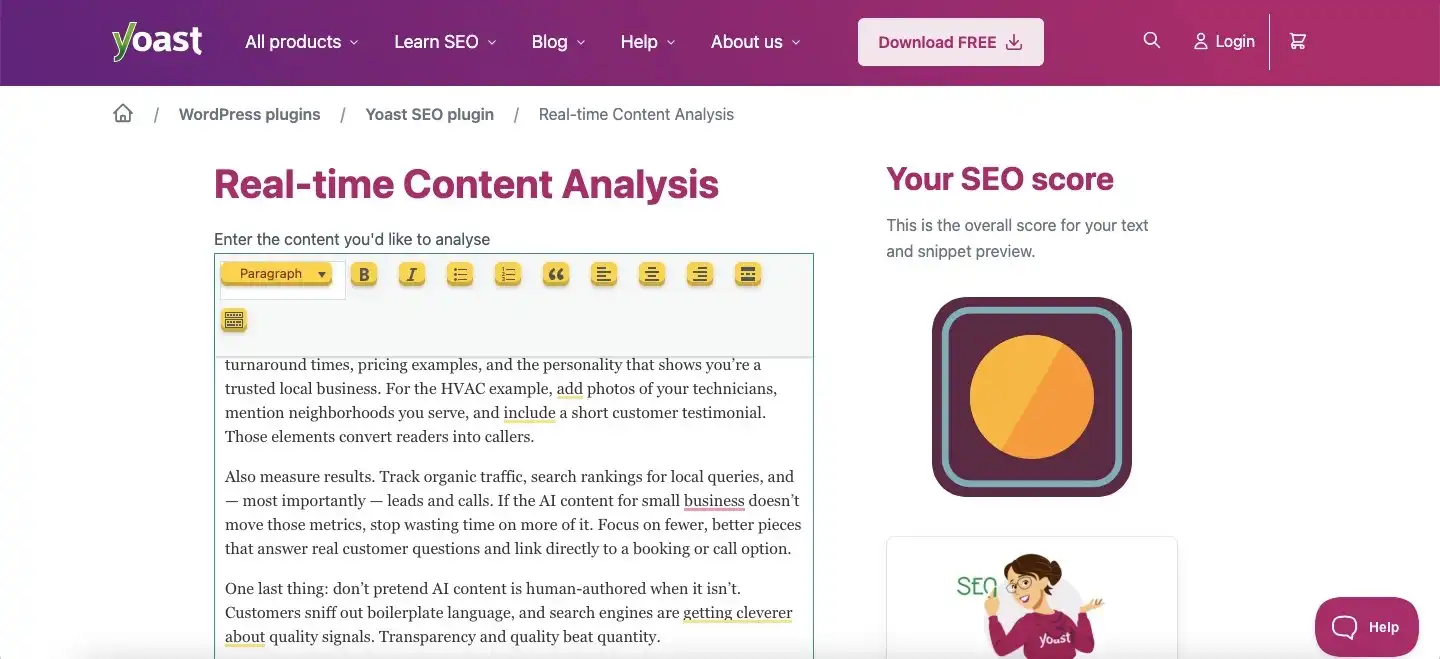
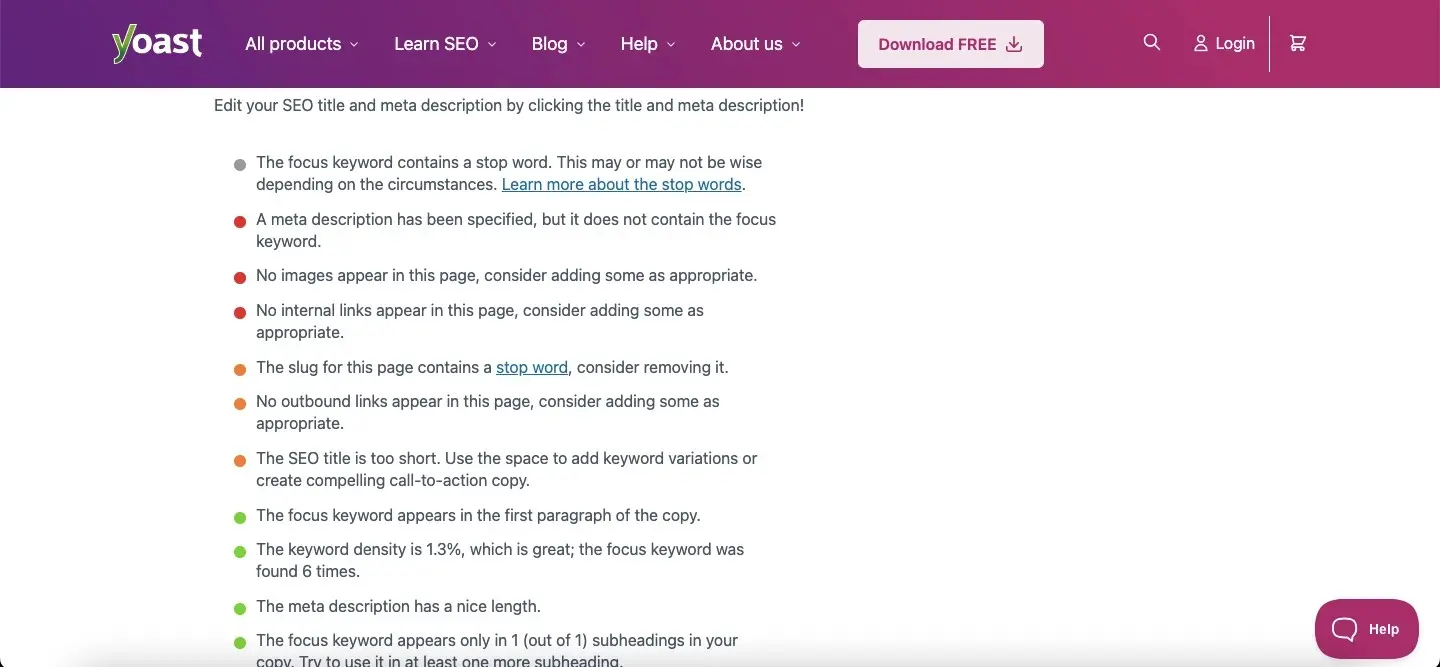
As you can see, Clearscope’s optimization suggestions were useful but still had a few gaps. The meta tags were not fully optimized, and the SEO title came out too short. However, the tool did help maintain keyword density, search intent, and topical relevance. Among AI content optimization tools and AI tools for content marketing, this is how we rated Clearscope.
| Criteria | Score Given | Weight | Weighted Score |
| SEO Recommendation Accuracy | 85/100 | 25% | 21.25/25 |
| Keyword & Search Intent Coverage | 90/100 | 25% | 22.5/25 |
| Content Optimization Depth | 80/100 | 20% | 16/20 |
| Ease of Understanding Insights | 80/100 | 15% | 12/15 |
| Practicality of Suggested Fixes | 85/100 | 15% | 12.75/15 |
| Total Score | 100% | 84.5/100 |
Final SEO Quality Score: 84.5/100
Should Clearscope Be Your AI Writing and Content Optimization Tool?
If your goal is to improve search intent alignment and topical depth, Clearscope can be a valuable addition to your workflow. Unlike many AI writing tools, it focuses more on content grading, semantic optimization, and keyword relevance than generating complete drafts. For AI tools for writers and marketing teams, Clearscope is especially useful for refining long-form articles, improving blog post quality, and strengthening SEO performance before publication.
Overall Tool Rating: 4.6/5
17. Outranking.io
Best AI tool for SEO-first content creation grounded in real SERP data
| Best For | Bloggers, content agencies, and SEO professionals who need AI-written content built around what’s already ranking |
| Standout Feature | SERP-first workflow combined with the “Concepts” feature grounds AI output in verified data from top-ranking pages |
| Pricing (Monthly) | Only Paid Version; SEO Wizard at $159; SEO Writer at $79; Starter at $19 |
Pros
- Researches competitor pages before writing a single word
- Covers full content lifecycle, brief, draft, optimize, and publish in one platform
- Integrates with WordPress, Google, and Grammarly
- Does not use your content for model training
Cons
- First drafts need a 30-40% rewrite pass, not publish-ready out of the box
- No free tier
- Document limits on base plan restrictive for high-volume teams
- Shallower topic modeling compared to MarketMuse
How We Tested Outranking.io
Outranking.io is one of the more complete AI tools for content marketing because it covers several parts of the content workflow inside one platform. To test it fairly, we started with a keyword, reviewed the AI-generated title and outline, checked the suggested keyword density, and then evaluated how well the tool optimized the final draft. This is what it looks like:
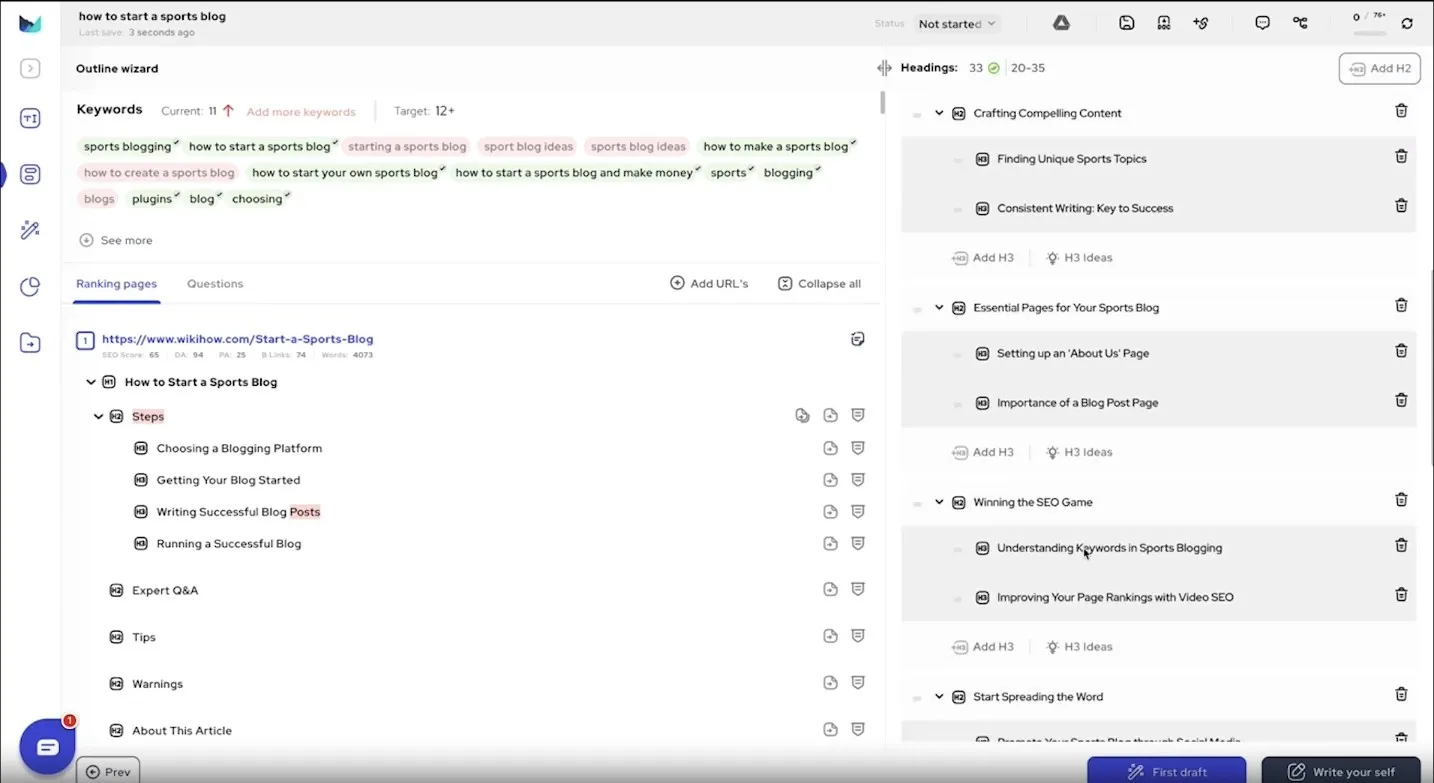
Disclaimer: This screenshot is taken from the official website demo. Due to privacy reasons, we cannot share our own dashboard screenshot.
The tool is intuitive and includes a useful automatic optimization feature. After you add your website information, Outranking.io can suggest internal links and content improvements to support SEO performance. This makes it helpful for marketers who want to improve content quality without spending too much time switching between different tools.
We checked the optimized content through Yoast SEO, and this is what it revealed:
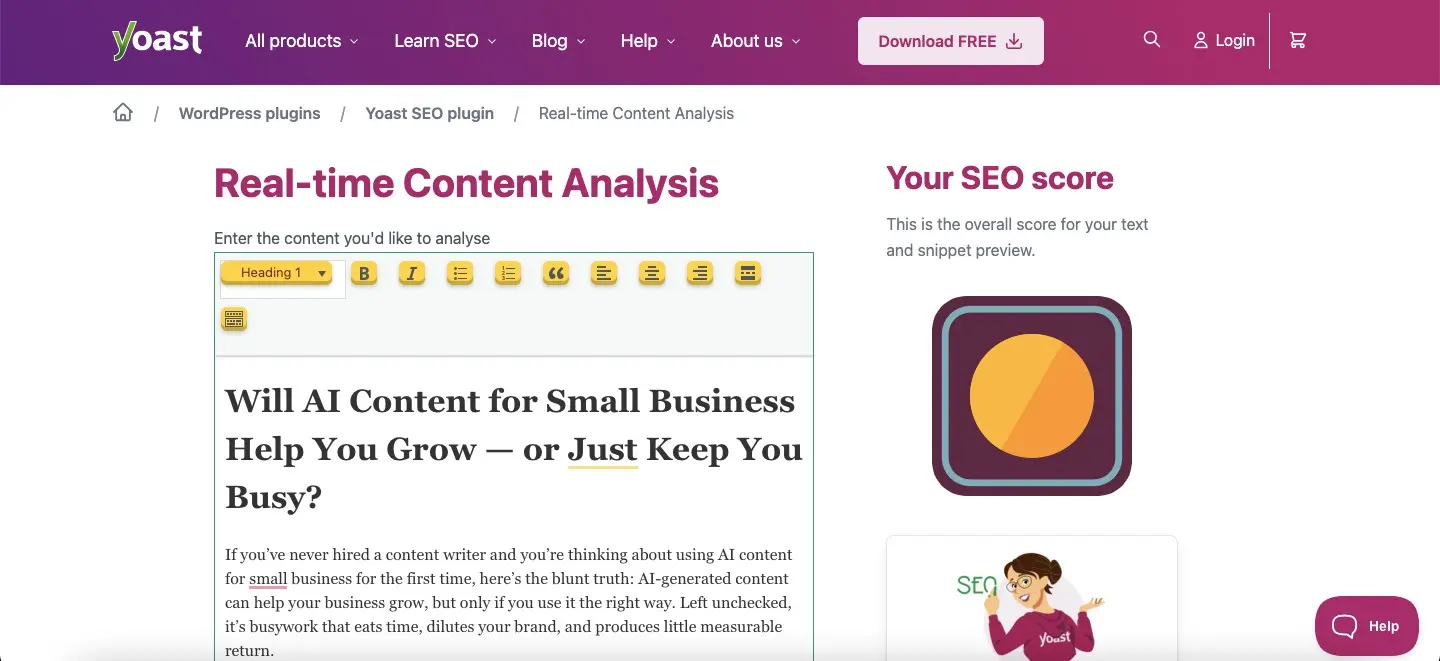
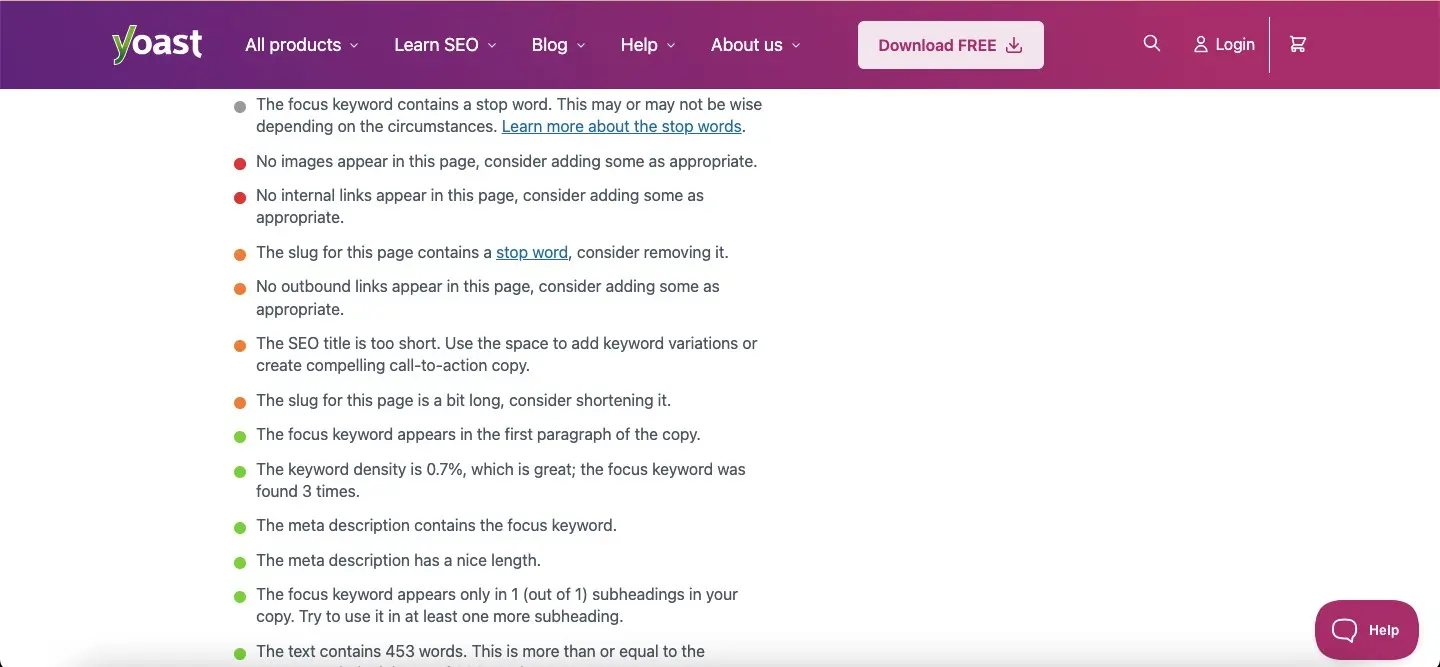
As observed, the optimization results were strong. However, the suggested outline still needed manual refinement to match the search intent more closely. Among AI content optimization tools and AI writing tools for marketing teams, here is the final score we gave Outranking.io.
| Criteria | Score Given | Weight | Weighted Score |
| SEO Recommendation Accuracy | 90/100 | 25% | 22.5/25 |
| Keyword & Search Intent Coverage | 80/100 | 25% | 20/25 |
| Content Optimization Depth | 75/100 | 20% | 15/20 |
| Ease of Understanding Insights | 100/100 | 15% | 15/15 |
| Practicality of Suggested Fixes | 75/100 | 15% | 11.25/15 |
| Total Score | 100% | 83.75/100 |
Final SEO Quality Score: 83.75/100
Should Outranking.io Be Your AI Writing and Content Optimization Tool?
For marketers who want content generation and optimization inside a single workflow, Outranking.io can be a practical choice. Unlike many AI writing tools, it combines outlining, keyword optimization, internal linking, and SEO suggestions within one platform. Among AI tools for content marketing and AI writing tools for marketing teams, it works best for speeding up content production while still improving search intent alignment and overall blog post quality.
Overall Tool Rating: 4.5/5
18. MarketMuse
Best tool for strategic content planning and topic gap analysis
| Best For | Content strategists planning large-scale content programs across a domain |
| Standout Feature | Topic modeling across your entire domain to surface content gaps competitors have filled |
| Pricing (Monthly) | Only Paid Version; Starting at ~$99/month |
Pros
- Unmatched competitive content gap analysis
- Helps prioritize which topics to cover first
- Domain-level content intelligence not found elsewhere
- Strong ROI for teams building topical authority
Cons
- Steep learning curve for non-strategists
- Expensive for small teams or solo creators
- Much of the capability goes unused without a content strategist
How We Tested MarketMuse
MarketMuse works as a topical research and content optimization tool. To test it fairly, we evaluated how well it helped compare content against SERP competitors, identify topical gaps, improve semantic coverage, and support authority-building over time. This is what the SEO-based content optimization tool looks like:
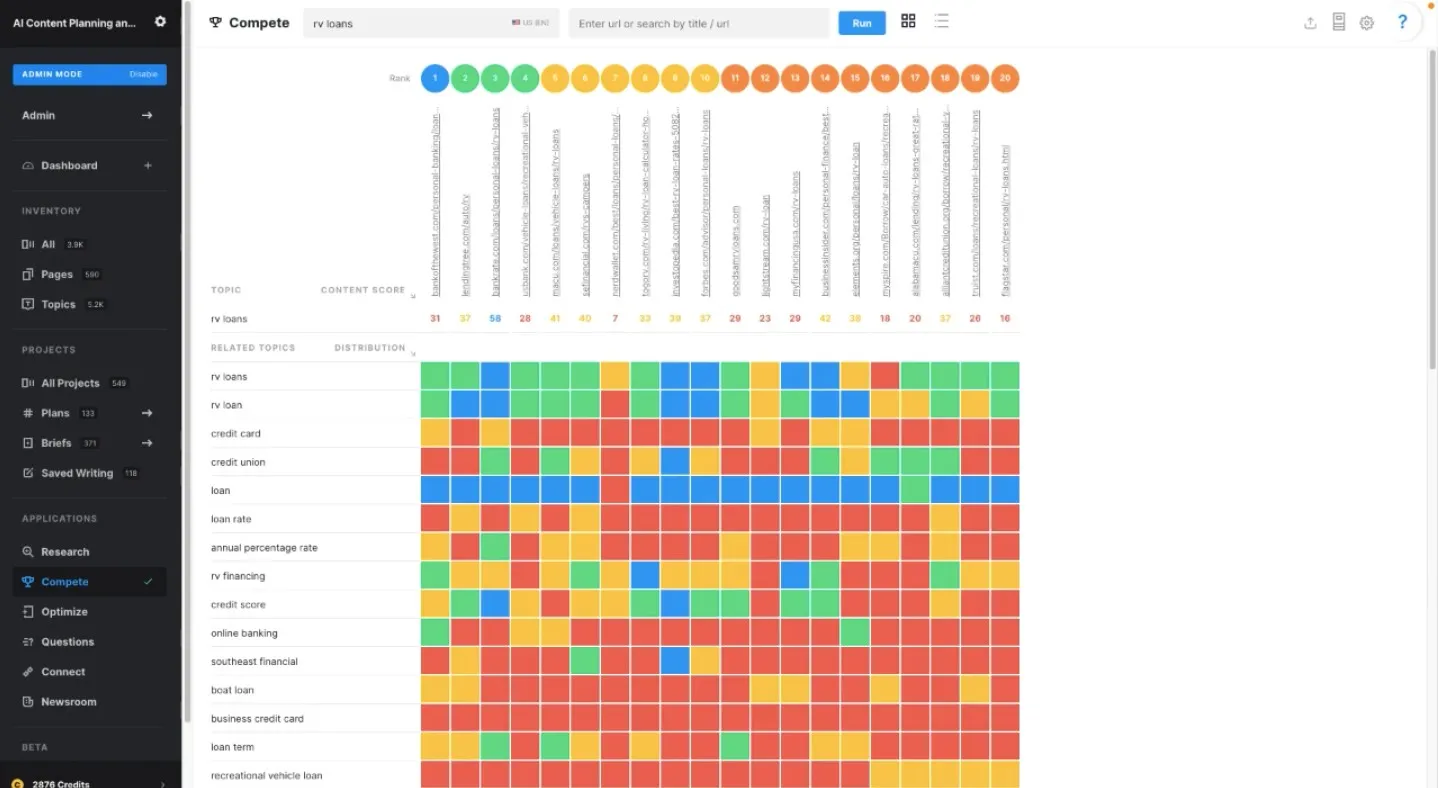
Disclaimer: This is a snippet from the product demo. We have not shown our team’s actual product screenshots due to privacy reasons.
MarketMuse is one of the better AI content optimization tools for improving topical depth. Its SEO suggestions are insightful, and its AI-based writer can help create a solid first draft that feels around 50 to 60% SERP-ready. To test its optimization capabilities, we checked the improved content through Yoast SEO:
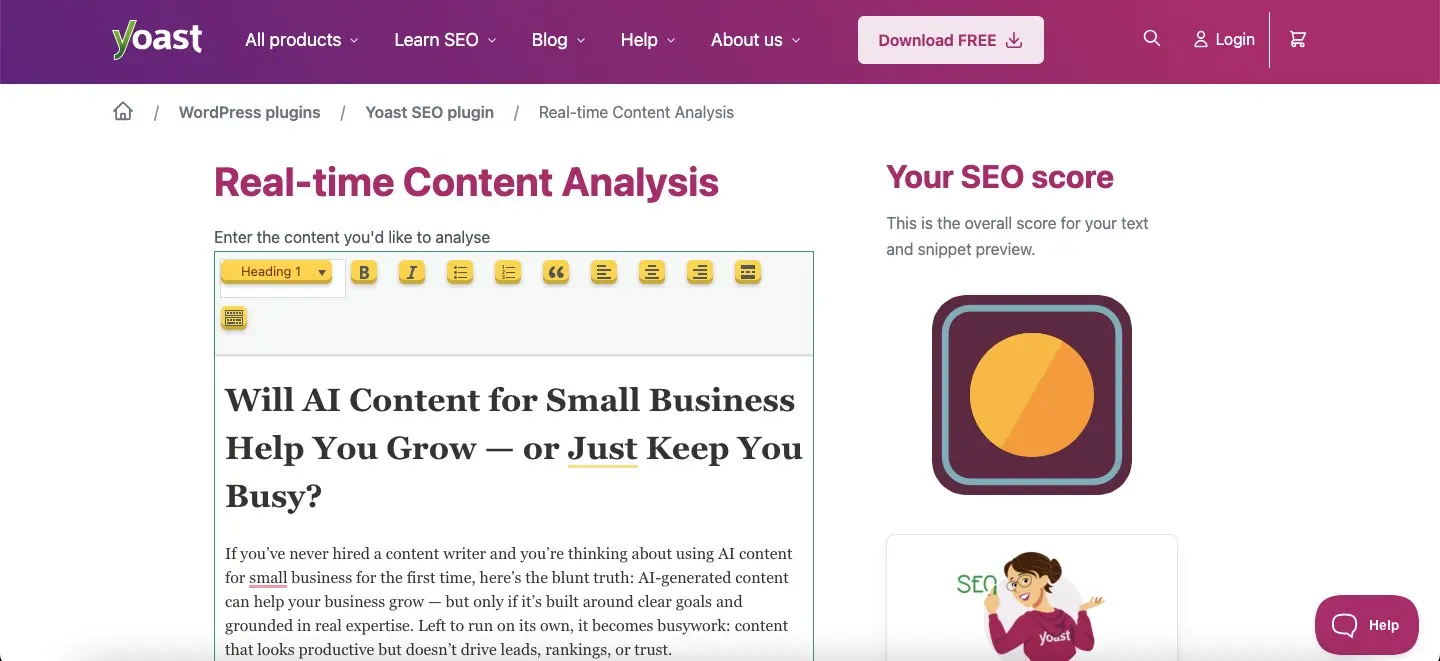
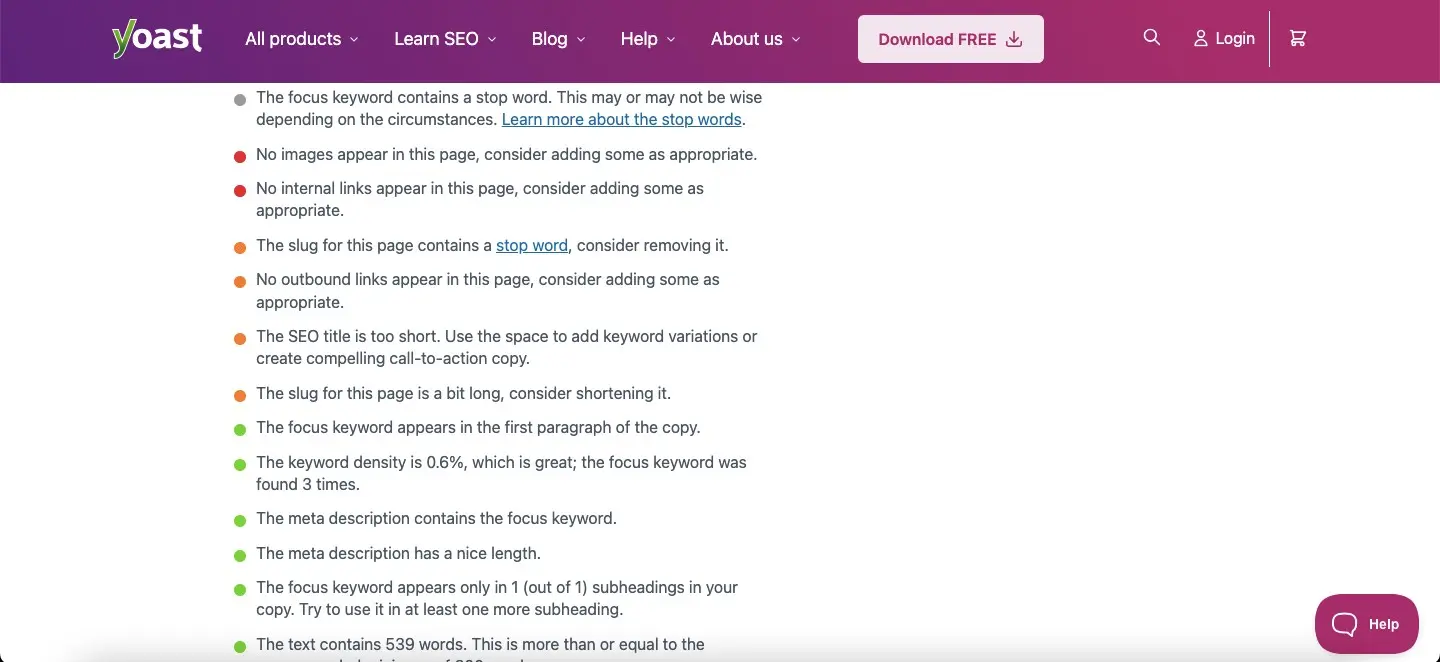
As the Yoast results show, MarketMuse helped increase content length and add more semantic keywords naturally. Among AI tools for content marketing and AI tools to improve writing quality, here is what we scored the tool.
| Criteria | Score Given | Weight | Weighted Score |
| SEO Recommendation Accuracy | 85/100 | 25% | 21.25/25 |
| Keyword & Search Intent Coverage | 90/100 | 25% | 22.5/25 |
| Content Optimization Depth | 80/100 | 20% | 16/20 |
| Ease of Understanding Insights | 65/100 | 15% | 9.75/15 |
| Practicality of Suggested Fixes | 70/100 | 15% | 10.5/15 |
| Total Score | 100% | 80/100 |
Final SEO Quality Score: 80/100
Should MarketMuse Be Your AI Writing and Content Optimization Tool?
MarketMuse works best when your priority is building topical authority and improving semantic depth across content. Unlike many AI writing tools, it focuses heavily on SERP competitiveness, keyword relationships, and content structure rather than just draft generation. Among AI tools for content marketing and AI writing tools for marketing teams, it is especially useful for improving blog post quality and strengthening long-form SEO content over time.
Overall Tool Rating: 4.4/5
19. WriterZen
Best SEO content workflow tool for keyword research, topic discovery, and SERP-driven content planning
| Best For | Freelance writers and agencies needing an end-to-end SEO content workflow in one place |
| Standout Feature | Golden Filter surfaces high-value, low-competition keywords straight from Google’s search database |
| Pricing (Monthly) | Free Plan (Limited); Basic Plan at $39; Standard Plan at $59; Advanced Plan at $99 |
Pros
- All-in-one workflow, research, outline, draft, and optimize without switching tools
- Topic Discovery maps full content strategies based on competitor targeting
- Mindmap view makes topic clustering visual and intuitive
- Lifetime deal available, rare in an SEO tool at this price point
Cons
- AI writing output needs heavy editing, not a standalone writer
- Credit limits on key features can add unexpected costs
- No match for Ahrefs or Semrush on backlinks and technical SEO
- No Chrome extension limits in-browser usability
How We Tested WriterZen
WriterZen is mainly used for keyword research and topical research. It does not directly optimize your content in the same way as some AI content optimization tools, but it does provide keyword ideas, topic clusters, and SEO terms that can be added to your draft. Based on your primary target keyword, it helps identify topics and phrases that may improve content marketing performance. This is what the topical research section of the tool looks like:
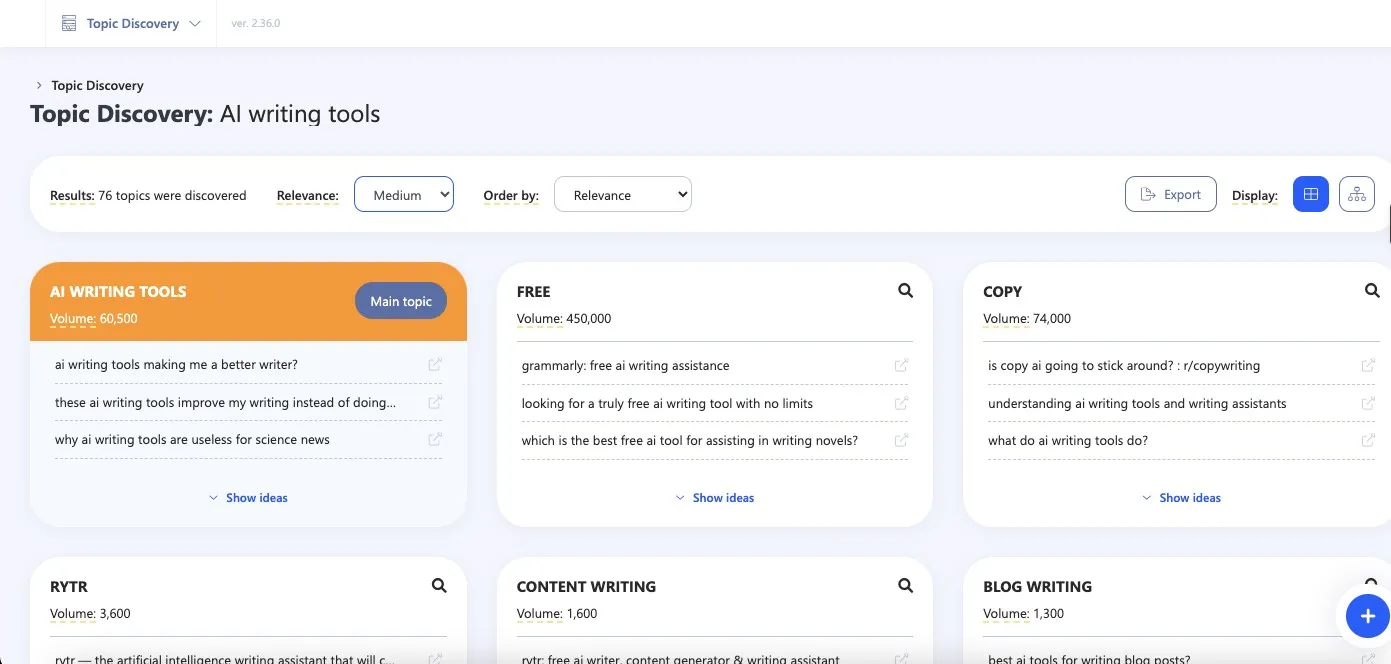
WriterZen is useful, but it offers fewer optimization features compared with tools like MarketMuse. Since the suggestions need to be implemented manually, the process can take more time and editorial effort. To test whether the tool actually helped, we manually added the suggested keywords into our draft and checked the content through Yoast SEO:
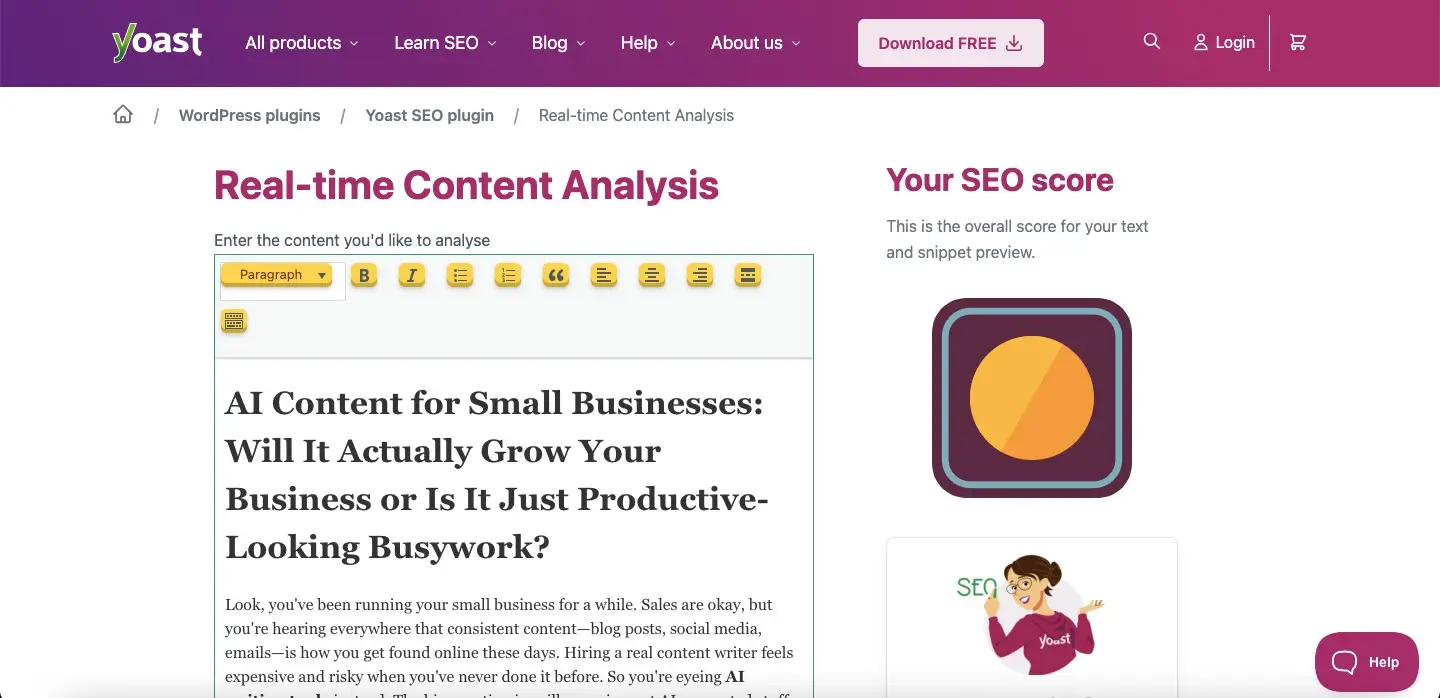
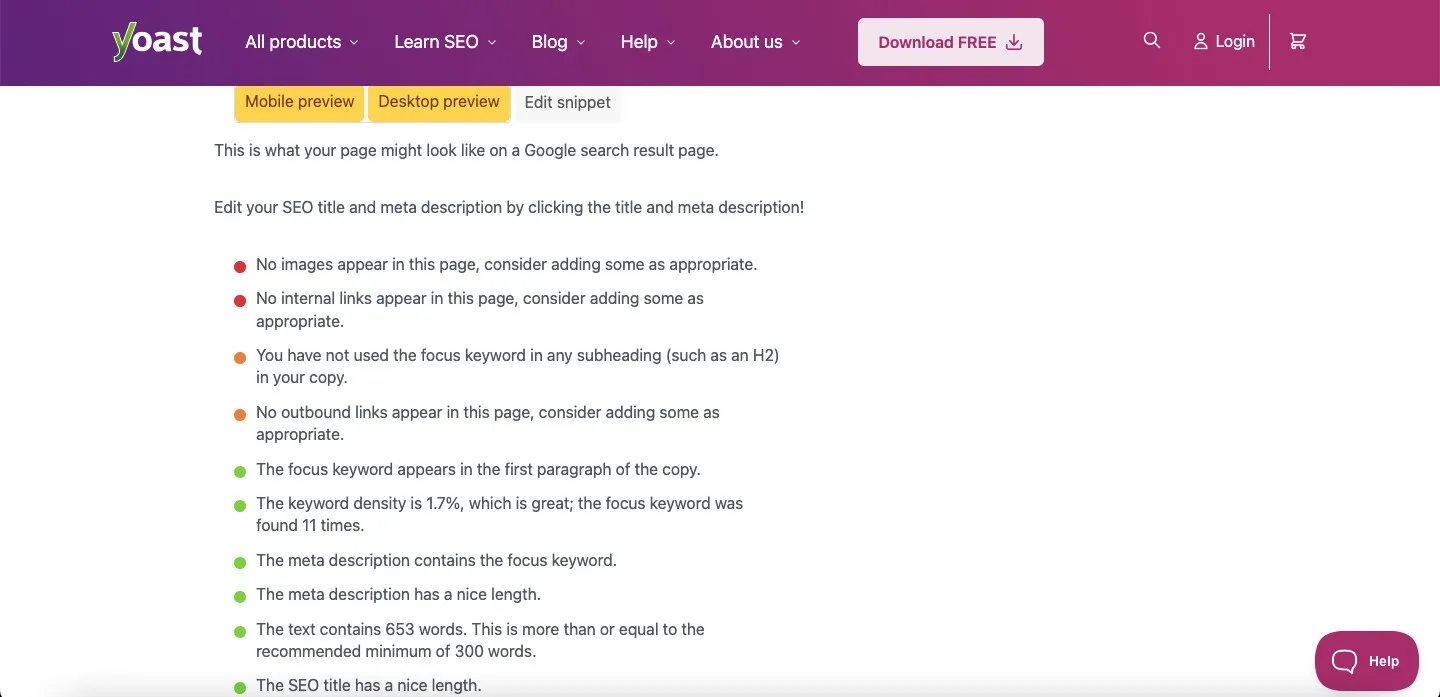
Yoast showed that adding WriterZen’s keyword suggestions improved the content from an SEO perspective. However, the main limitation is manual execution. Without applying the recommended keywords yourself, you will not see these optimization gains. Based on keyword relevance, topical support, and usefulness for AI tools for content marketing, here is what we finally rated WriterZen.
| Criteria | Score Given | Weight | Weighted Score |
| SEO Recommendation Accuracy | 80/100 | 25% | 20/25 |
| Keyword & Search Intent Coverage | 85/100 | 25% | 21.25/25 |
| Content Optimization Depth | 80/100 | 20% | 16/20 |
| Ease of Understanding Insights | 65/100 | 15% | 9.75/15 |
| Practicality of Suggested Fixes | 73.33/100 | 15% | 11/15 |
| Total Score | 100% | 78/100 |
Final SEO Quality Score: 78/100
Should WriterZen Be Your AI Writing or Content Optimization Tool?
WriterZen is more useful as a keyword research and topical planning platform than a complete AI writing assistant. Instead of heavily optimizing content for you automatically, it helps identify keyword opportunities, topical gaps, and SEO directions that can strengthen your draft manually. Among AI content optimization tools and AI tools for content marketing, WriterZen works best for planning blog strategies, improving keyword targeting, and supporting writers who prefer more control over content optimization.
Overall Tool Rating: 4.6/5
Best AI Writing Tools With Chrome Extensions
20. Semrush
Best all-in-one suite with AI writing + browser-level content improvement
| Best For | Content teams already using Semrush for SEO who want writing assistance in the same ecosystem |
| Standout Feature | AI Writer Chrome extension works on any website: Google Docs, LinkedIn, WordPress, anywhere |
| Pricing (Monthly) | Only Paid Version; SEO at $139.95;Pro+ at $299; Advanced at $549 |
Pros
- Works on any platform directly in browser
- Checks grammar, rephrases, adjusts tone, and simplifies in one tool
- Five English dialect options (US, UK, AU, CA, IN)
- 50 free monthly rewrites without a subscription
Cons
- Full features require Content Toolkit subscription on top of Semrush Pro
- Not a standalone writing tool
- Weaker writing output compared to dedicated tools
How We Tested Semrush
Semrush is widely considered one of the best AI tools to improve content quality and SEO performance. Since it combines SEO features with AI writing capabilities, we tested it by analyzing how well its suggestions improved both content readability and search optimization. This is what we found:
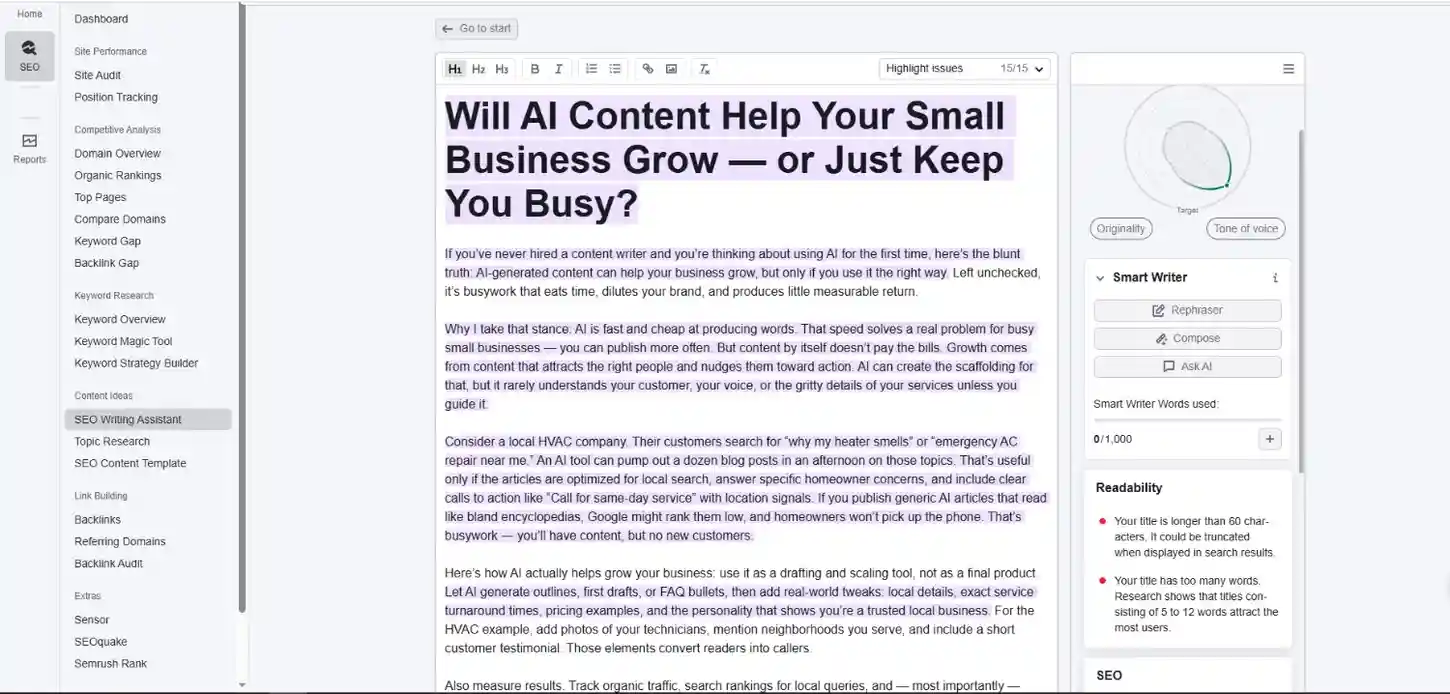
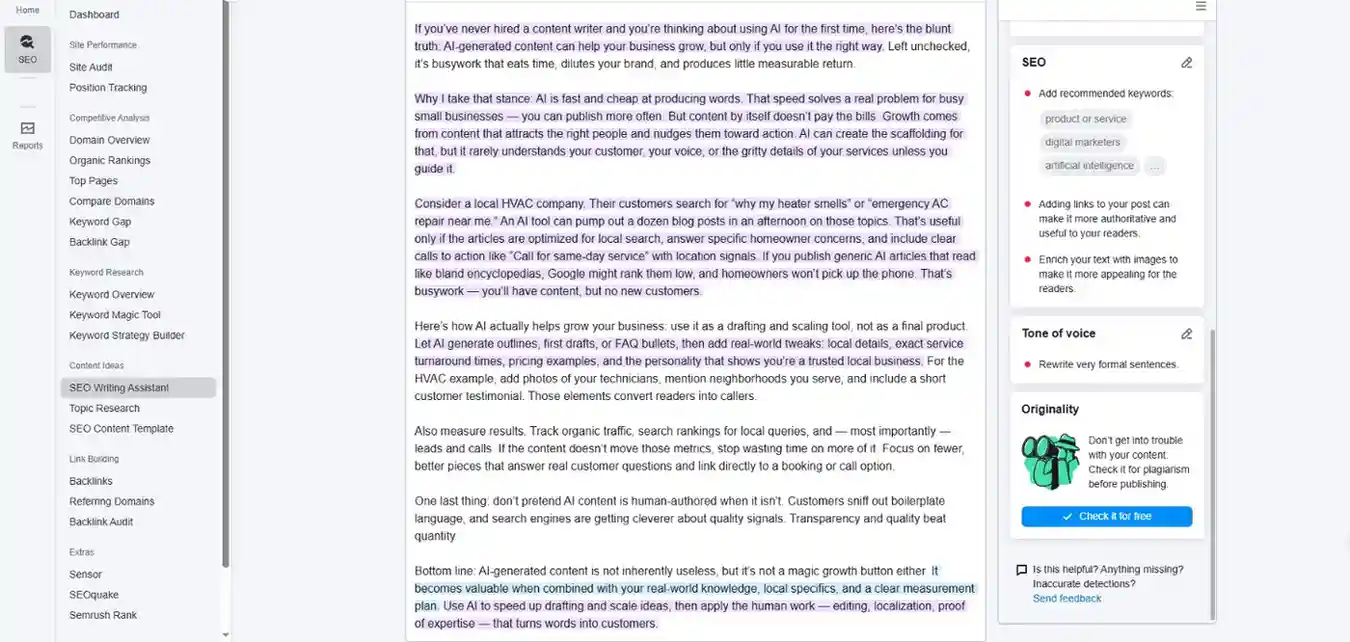
As you can see, the suggestions covered both content quality and SEO improvements, helping make the article more SERP-focused overall. Semrush also includes a dedicated AI writing assistant, although reaching a fully optimized draft still takes some manual refinement and editing.
To further evaluate the optimized content, we checked it through Yoast SEO. This is what the analysis revealed:
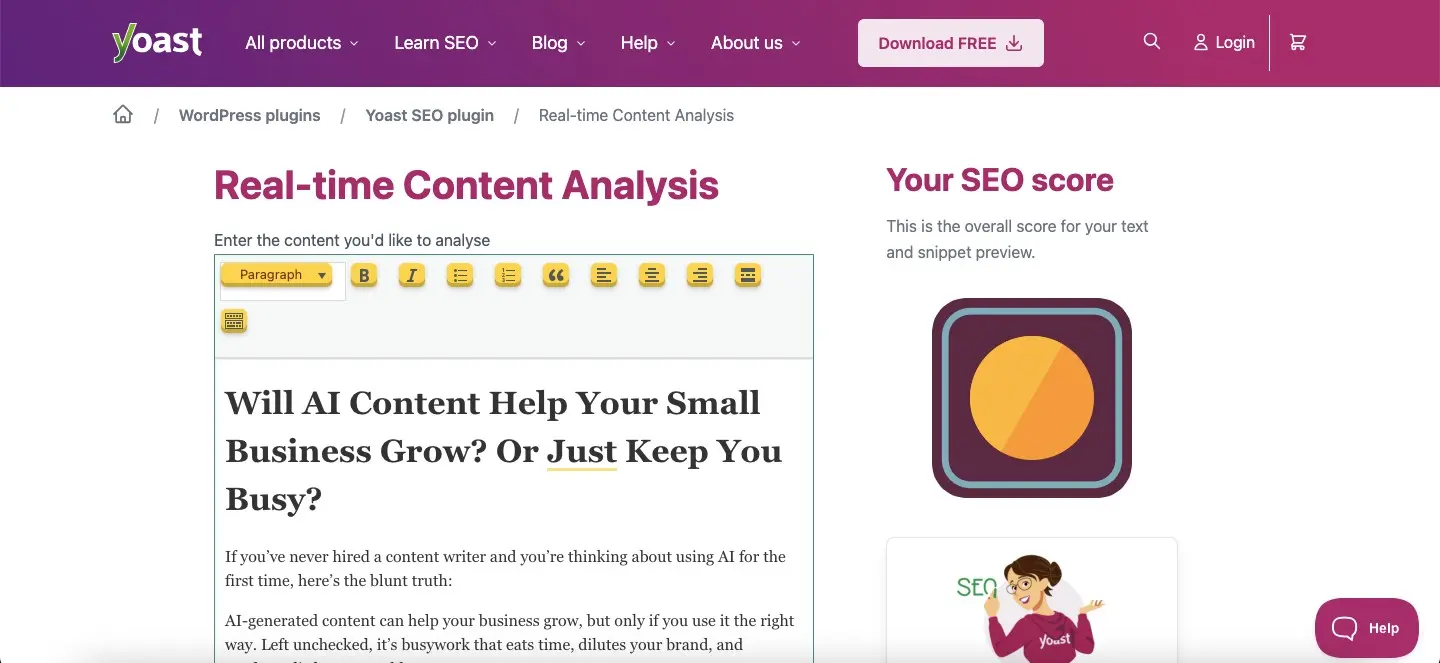
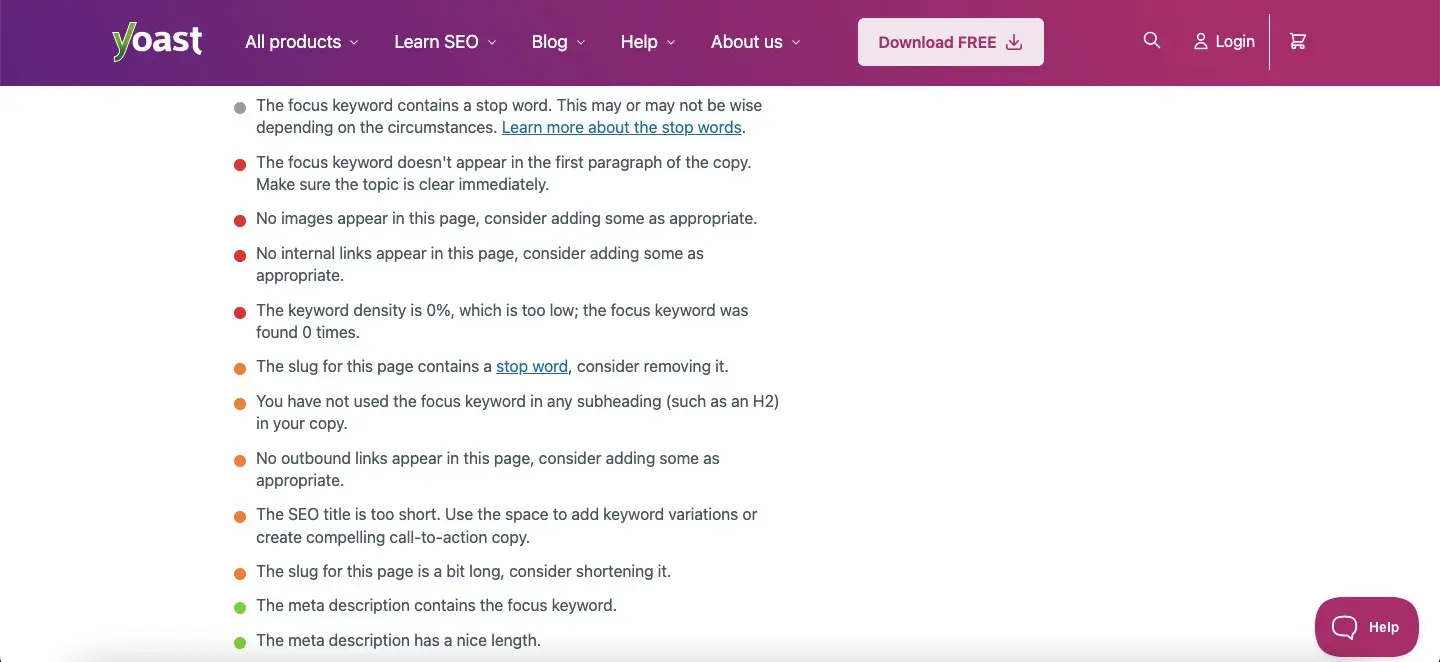
The content was optimized well, although the tool slightly shifted toward a different keyword interpretation than the one originally targeted. Semrush also offers a comprehensive Chrome extension, making it more practical for ongoing SEO and content workflows.
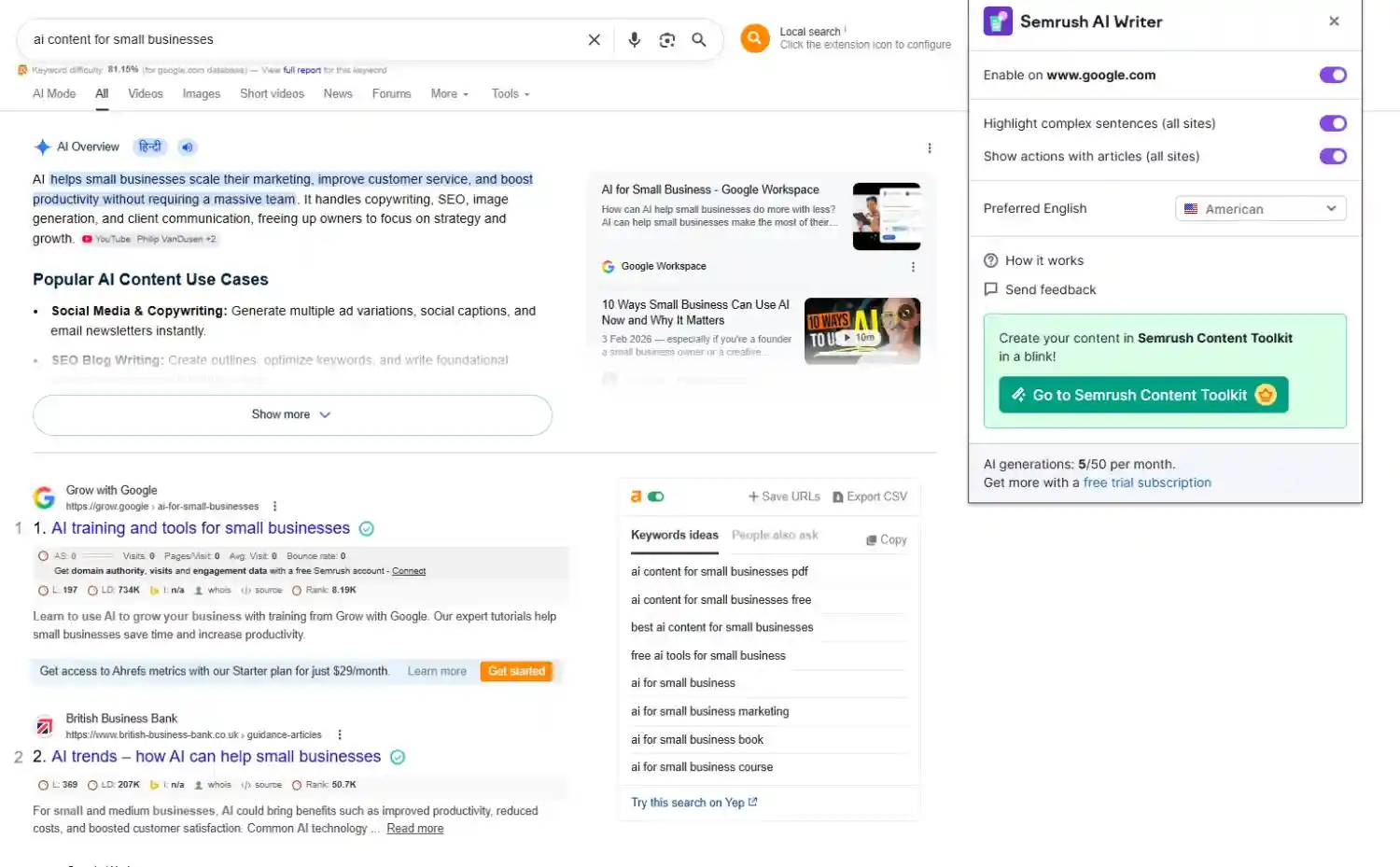
Based on the content optimization, keyword handling, and usability, here is how we scored Semrush among AI content optimization tools and AI writing tools for marketing teams.
| Criteria | Score Given | Weight | Weighted Score |
| SEO Recommendation Accuracy | 85/100 | 20% | 17/20 |
| Keyword & Search Intent Coverage | 80/100 | 20% | 16/20 |
| Content Optimization Depth | 80/100 | 15% | 12/15 |
| Ease of Understanding Insights | 90/100 | 15% | 13.5/15 |
| Practicality of Suggested Fixes | 95/100 | 15% | 14.25/15 |
| Chrome Extension Functionality | 80/100 | 15% | 12/15 |
| Total Score | 100% | 84.75/100 |
Final SEO Quality Score: 84.75/100
Should Semrush Be Your AI Writing and Content Optimization Tool?
Businesses that already rely heavily on SEO workflows will likely get the most value from Semrush. Rather than functioning only as an AI writing assistant, the platform combines keyword research, SERP analysis, optimization suggestions, and AI content writing tools within one ecosystem. Among AI tools for content marketing and AI writing tools for marketing teams, Semrush is especially effective for improving search visibility, strengthening blog post quality, and building SEO-focused content at scale.
Overall Tool Rating: 4.5/5
21. QuillBot
Best tool for paraphrasing and rewriting with a powerful browser extension
| Best For | Writers, students, and researchers who need fast sentence and paragraph-level rewrites |
| Standout Feature | 9 paraphrasing modes, including Academic, Creative, Formal, and Shorten |
| Pricing (Monthly) | Free; Premium at $19.95/month |
Pros
- Best paraphrasing tool on the market
- Extension works across Gmail, Google Docs, LinkedIn, Slack, Notion, and more
- Grammar checker, plagiarism detector, and citation generator included
- Generous free tier
Cons
- Free tier has word count limits
- Doesn’t guarantee unique content when paraphrasing
- Weak for original drafting and generation
How We Tested QuillBot
QuillBot is best known as a paraphrasing tool, but its grammar checker also makes it one of the useful AI writing and content quality checker tools. To test it fairly, we used it on an existing draft and reviewed how well its grammar, paraphrasing, and tone suggestions improved clarity, flow, and readability. Here is a look at QuillBot:
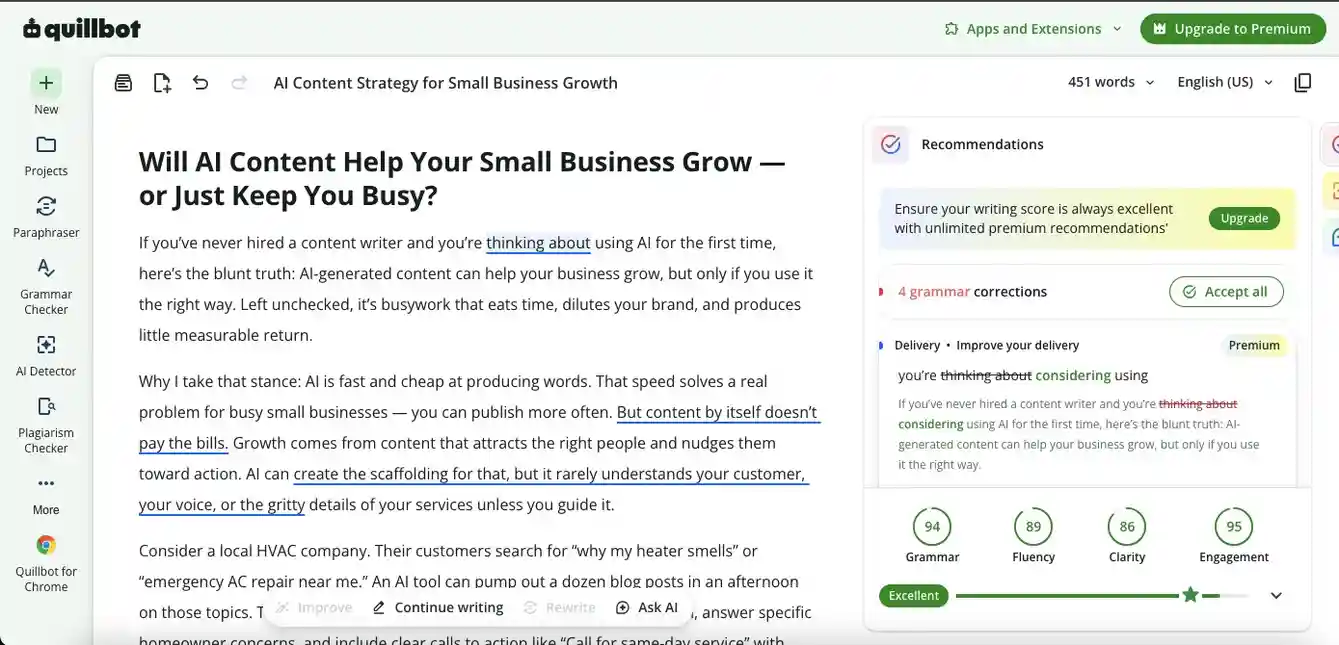
The suggestions were valid, although limited in the free version. Compared with Grammarly, QuillBot does not offer the same depth of readability suggestions to improve the overall content. However, its paraphrasing tool works well and, even in the free version, lets you quickly rewrite sentences based on your preferred tone and content needs.
The readability score was decent, and the suggestions helped the content feel smoother and more coherent. This is how the tool works as a Chrome extension:
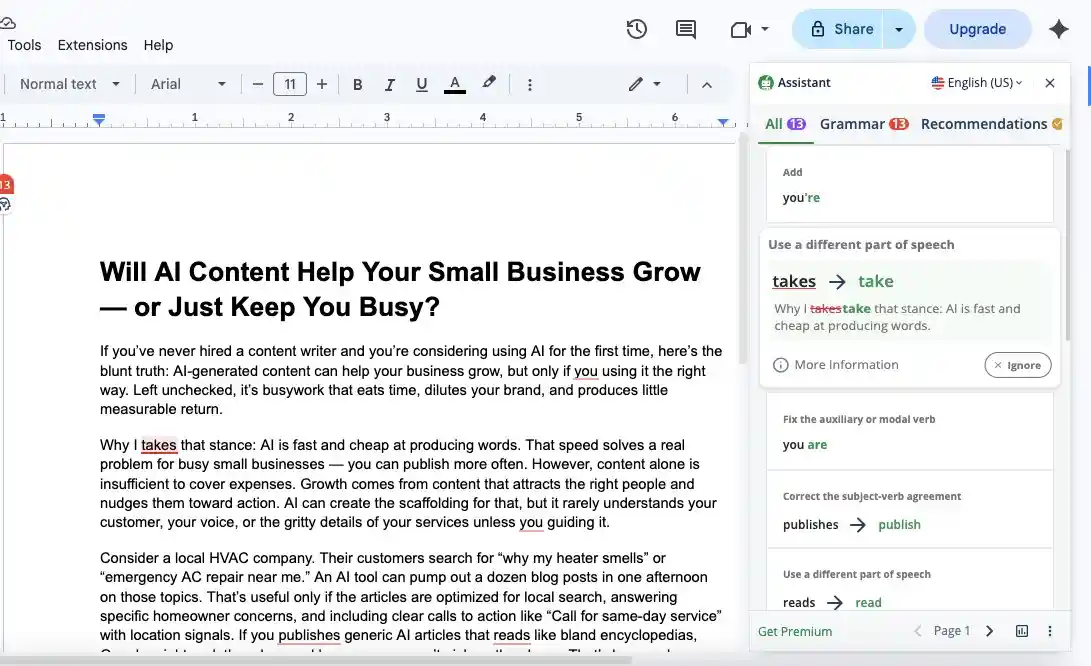
After analyzing its grammar support, paraphrasing quality, Chrome extension experience, and overall usefulness among Grammarly alternatives and AI tools to improve writing quality, here is the score we landed on for QuillBot.
| Criteria | Score Given | Weight | Weighted Score |
| Clarity & Readability | 90/100 | 20% | 18/20 |
| Information Depth | 75/100 | 20% | 15/20 |
| Originality & Freshness | 75/100 | 15% | 11.25/15 |
| Repetition & Fluff | 50/100 | 15% | 7.5/15 |
| Human-like Naturalness | 75/100 | 15% | 11.25/15 |
| Chrome Extension Functionality | 100/100 | 15% | 15/15 |
| Total Score | 100% | 78/100 |
Final Editing Quality Score: 78/100
Should QuillBot Be Your AI Writing and Content Optimization Tool?
QuillBot works best when your goal is refining and rewriting existing drafts rather than generating full articles from scratch. Its paraphrasing and grammar suggestions make it a practical AI writing assistant for improving sentence flow and adjusting tone quickly. Among Grammarly alternatives and AI tools for writers, QuillBot is especially useful for polishing content, simplifying phrasing, and supporting faster editing workflows for blogs and marketing content.
Overall Tool Rating: 4.3/5
22. ProWritingAid
Best tool for deep style analysis and long-form writing improvement
| Best For | Long-form writers, novelists, and journalists who want pattern-level feedback on their writing |
| Standout Feature | 25+ report types analyzing sentence variation, passive voice, repetition, and pacing |
| Pricing (Monthly) | Free; Premium at $10; Premium Pro at $12 |
Pros
- Deepest style analysis of any tool tested
- Integrates with Word, Google Docs, and Scrivener
- Offline desktop app available
- Lifetime license option, rare in this space
Cons
- Can overwhelm with too much feedback at once
- Slower than Grammarly for inline suggestions
- Free tier too limited for real use
How We Tested ProWritingAid
ProWritingAid is another useful AI content quality checker that analyzes grammar, style, tone, and other detailed writing parameters. To test it fairly, we used it on an existing draft and reviewed how well its suggestions improved clarity, readability, sentence flow, and overall content quality. Here is a look at the tool:
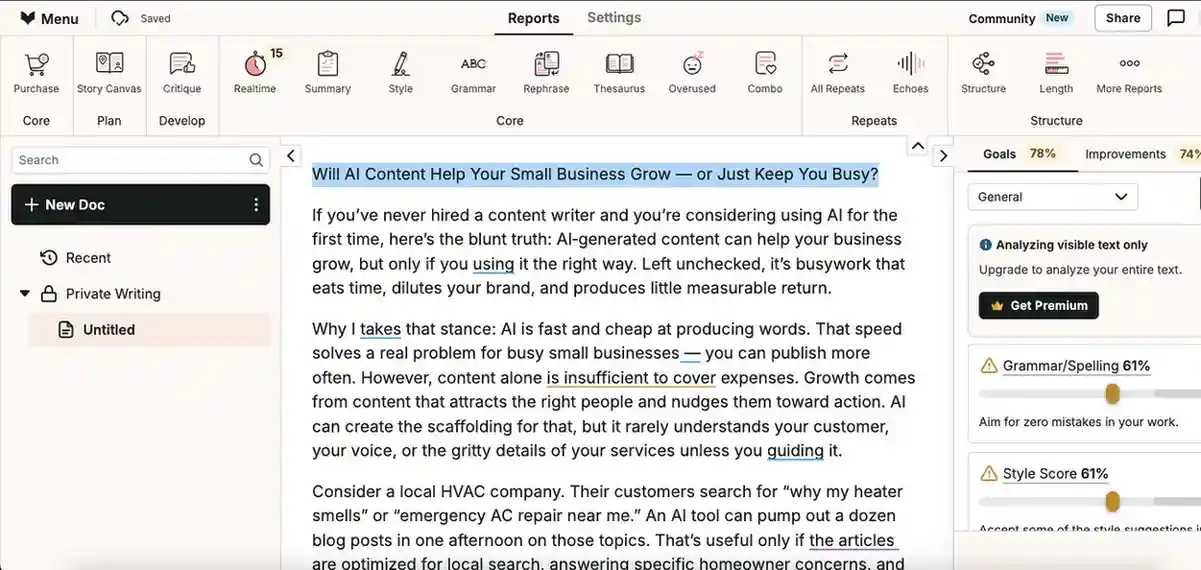
The suggestions from this AI grammar checker are detailed and include some useful tone-improving recommendations. The free version also provides structured reports on what can be improved, which makes it helpful for writers who want deeper editing feedback. However, while ProWritingAid does include rephrasing and other helpful features, the paywall limits access to some higher-value suggestions.
The content had decent readability, although the score was still lower compared with some similar AI tools to improve writing quality. Here is how ProWritingAid works as a Chrome extension:
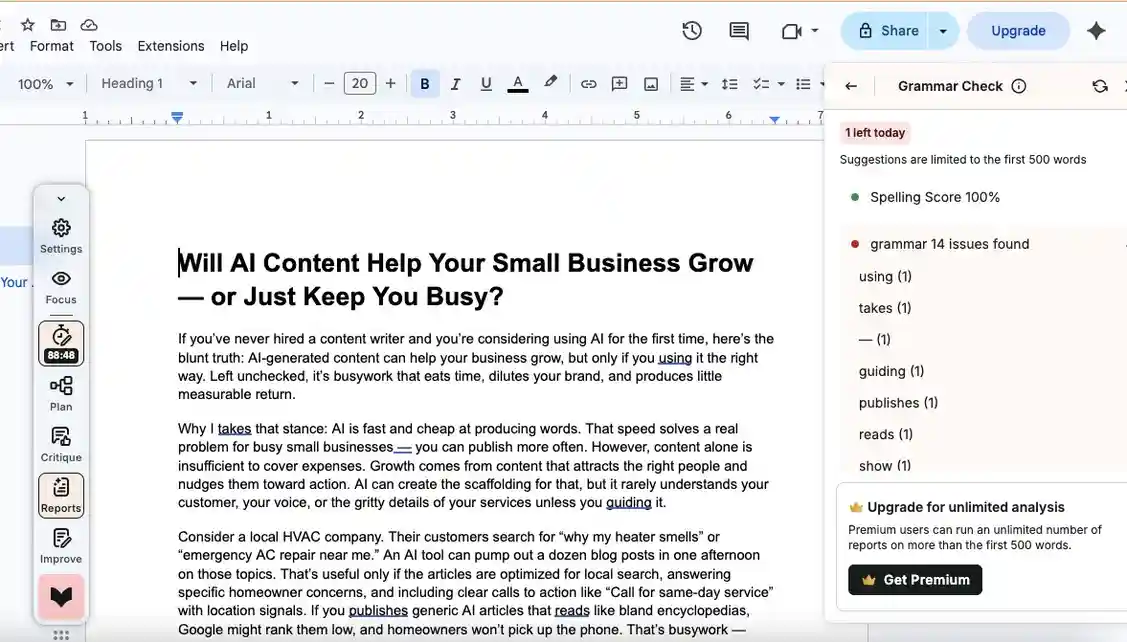
Based on its grammar support, style reports, tone suggestions, Chrome extension experience, and overall usefulness among Grammarly alternatives and AI writing tools, these are the scores we gave ProWritingAid.
| Criteria | Score Given | Weight | Weighted Score |
| Clarity & Readability | 85/100 | 20% | 17/20 |
| Information Depth | 70/100 | 20% | 14/20 |
| Originality & Freshness | 75/100 | 15% | 11.25/15 |
| Repetition & Fluff | 40/100 | 15% | 6/15 |
| Human-like Naturalness | 80/100 | 15% | 12/15 |
| Chrome Extension Functionality | 98.33/100 | 15% | 14.75/15 |
| Total Score | 100% | 75/100 |
Final Editing Quality Score: 75/100
Should ProWritingAid Be Your AI Writing and Content Optimization Tool?
If your focus is detailed editing and structured writing feedback, ProWritingAid can be a helpful AI writing assistant. Unlike many AI writing tools that only fix grammar, it also analyzes tone, style, readability, and sentence structure in depth. Among Grammarly alternatives and AI tools for writers, it works best for polishing drafts, improving writing clarity, and helping marketing teams create more refined long-form content.
Overall Tool Rating: 4.2/5
23. LanguageTool
Best AI writing tool for multilingual teams and privacy-conscious writers
| Best For | Multilingual content teams and writers publishing across international audiences |
| Standout Feature | Supports 30+ languages with grammar and style suggestions on par with Grammarly |
| Pricing (Monthly) | Free; Premium at $24.90; Teams at $11.07 per 2 user |
Pros
- Best multilingual grammar tool available
- Open source, privacy-conscious writers can verify data handling
- Free tier genuinely useful, not artificially limited
- Custom style guide feature for brand consistency
Cons
- English-only teams get more value from Grammarly
- AI rephrasing not as strong as Wordtune
- Occasional inconsistency with non-English suggestions
How We Tested LanguageTool
LanguageTool helps with editing, grammar checking, and light rephrasing. To test it fairly, we used it on an existing draft and reviewed how well it detected grammar issues, tone problems, and basic writing improvements. If you need deeper editorial feedback, it may not be your first choice, as the tool is mainly known for simplicity. Here is how its checker looks:
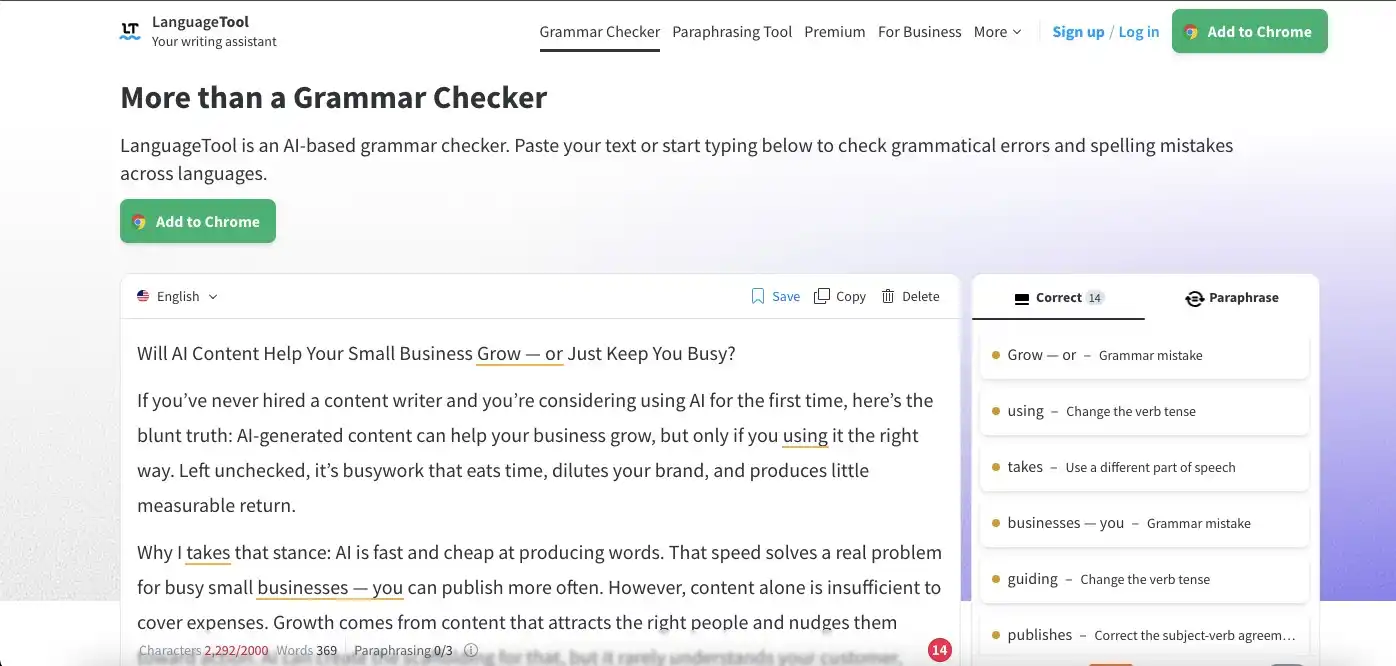
If grammar accuracy and tone consistency are important to your content, LanguageTool can be a useful AI grammar checker. However, you may want to compare it with other Grammarly alternatives if you need more nuanced editing, stronger rewrite suggestions, or deeper content quality feedback.
As the readability score suggests, its grammar suggestions were strong and helped improve the overall flow. This is what the Chrome extension looks like:
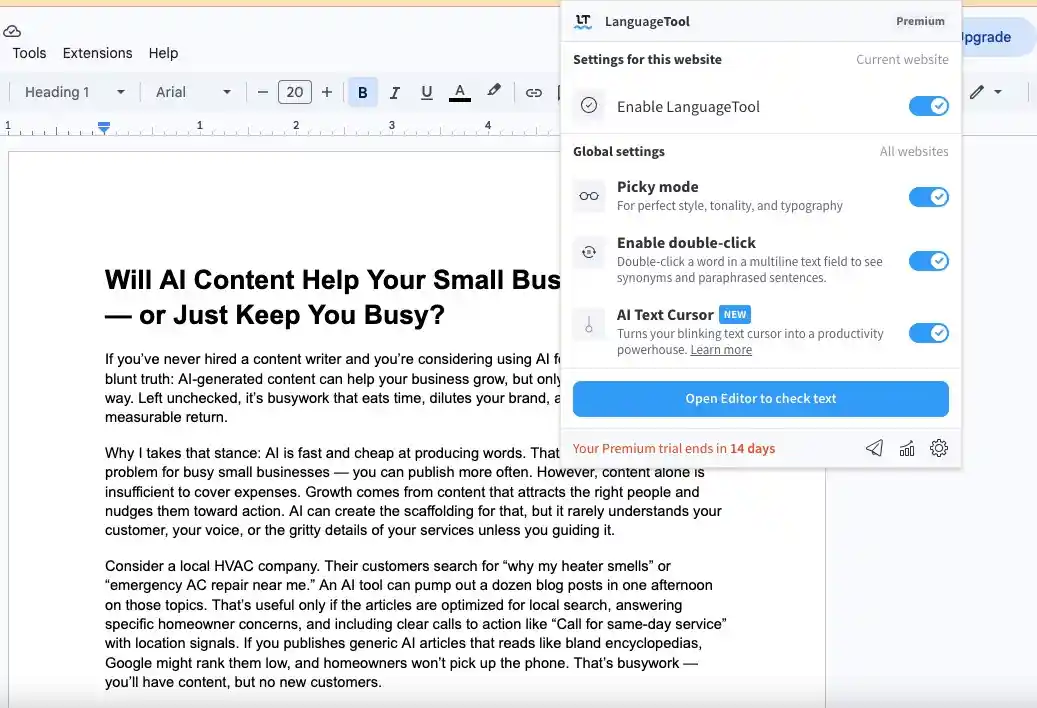
After analyzing its grammar checks, tone support, readability impact, Chrome extension experience, and usefulness among AI tools to improve writing quality, this is the final score we settled on for LanguageTool.
| Criteria | Score Given | Weight | Weighted Score |
| Clarity & Readability | 85/100 | 20% | 17/20 |
| Information Depth | 80/100 | 20% | 16/20 |
| Originality & Freshness | 80/100 | 15% | 12/15 |
| Repetition & Fluff | 30/100 | 15% | 4.5/15 |
| Human-like Naturalness | 90/100 | 15% | 13.5/15 |
| Chrome Extension Functionality | 66.67/100 | 15% | 10/15 |
| Total Score | 100% | 73/100 |
Final Editing Quality Score: 73/100
Should LanguageTool Be Your AI Writing and Content Optimization Tool?
For writers who want a simple and reliable AI grammar checker without a complicated interface, LanguageTool can be a practical choice. Unlike many AI writing tools that focus heavily on generation, it concentrates more on grammar accuracy, tone consistency, and readability improvements. Among Grammarly alternatives and AI tools to improve writing quality, LanguageTool works best for polishing drafts and maintaining clean, error-free content.
Overall Tool Rating: 4.2/5
24. Wordvice AI
Best AI tool for professional-grade editing and manuscript-level content refinement
| Best For | Professional writers, content managers, and teams needing publication-ready output |
| Standout Feature | Manuscript-level AI editing that goes beyond grammar into structure and coherence |
| Pricing (Monthly) | Free; Premium at $19.95; Premium Pro at $29.95; Team Plan at $19.95 per user |
Pros
- Editing depth closer to a human editor than most AI tools
- Strong for professional reports, whitepapers, and long-form content
- Chrome extension works across major writing platforms
- Underrated, gives your article a differentiated pick
Cons
- Smaller brand recognition may require more explanation to your audience
- Integration ecosystem not as wide as Grammarly or QuillBot
- Advanced features still maturing compared to established tools
How We Tested Wordvice AI
Wordvice AI is mainly built for editing, proofreading, and rephrasing. To test it fairly, we used it on an existing draft and reviewed how well its suggestions improved grammar, clarity, readability, and overall content quality. Here is how the tool feels:
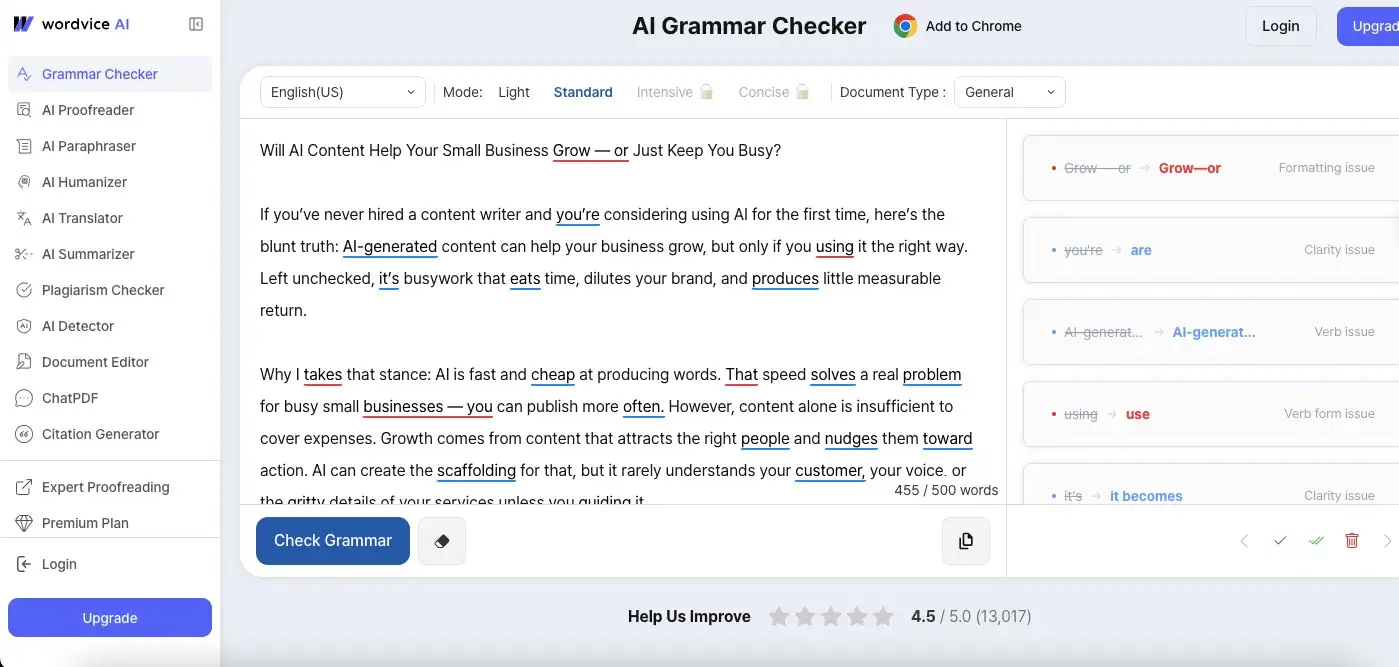
As you can see, the suggestions are similar to those offered by other AI-based content editor tools on this list. However, Wordvice AI felt more basic compared with stronger AI grammar checker and editing tools. Some rephrasing suggestions were useful, but others made the content more complex instead of clearer.
This was the lowest readability score on the list, mainly because some of the rephrasing suggestions made the draft harder to read. Here is what the Chrome extension does:
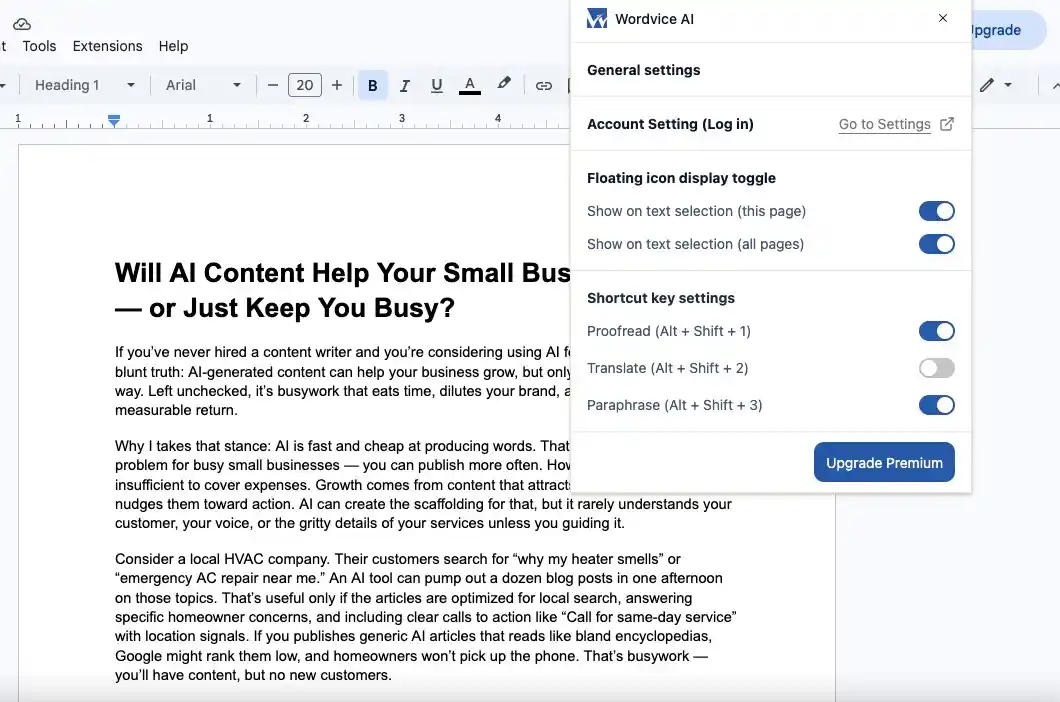
After analyzing its editing suggestions, rephrasing quality, readability impact, Chrome extension experience, and usefulness among AI tools to improve writing quality, this is the final score we gave Wordvice AI.
| Criteria | Score Given | Weight | Weighted Score |
| Clarity & Readability | 80/100 | 20% | 16/20 |
| Information Depth | 65/100 | 20% | 13/20 |
| Originality & Freshness | 80/100 | 15% | 12/15 |
| Repetition & Fluff | 40/100 | 15% | 6/15 |
| Human-like Naturalness | 75/100 | 15% | 11.25/15 |
| Chrome Extension Functionality | 78.33/100 | 15% | 11.75/15 |
| Total Score | 100% | 70/100 |
Final Editing Quality Score: 70/100
Should Wordvice AI Be Your AI Writing and Content Optimization Tool?
Wordvice AI works better as a lightweight editing assistant than a complete AI writing software solution. Its grammar and rephrasing suggestions can help clean up drafts quickly, but the overall recommendations often feel more basic compared with stronger AI content optimization tools. Among Grammarly alternatives and AI tools for writers, it may still help with proofreading and simple edits, especially for short-form content and quick revisions.
Overall Tool Rating: 4.0/5
Conclusion
AI writing tools can absolutely improve content quality, but no single platform handles everything perfectly. Some tools perform better for long-form writing, others for SEO optimization, editing, research, or readability improvements.
The best results still come from combining AI capabilities with human judgment, strategy, and workflow understanding. That is where businesses often struggle.
With Invedus, you can hire content writing virtual assistants trained to work alongside the 22+ best AI writing tools, AI content optimization tools, and research platforms. From content generation and SEO optimization to editing, publishing, and AI-assisted workflows, Invedus virtual assistants help businesses scale content marketing faster while maintaining quality, consistency, and brand voice across every piece of content.
Start producing content faster!
Frequently Asked Questions
Are free AI writing tools good enough for professional content?
Free tiers work for basic workflows but have limits. For AI tools for writers on a budget, Claude, Perplexity, and QuillBot offer genuinely useful free versions. Dedicated AI content optimization tools like Surfer SEO require paid plans.
Which AI tools are best for SEO content optimization?
Among AI content optimization tools tested, MarketMuse scored 80/100, Surfer SEO 86/100, and Clearscope 84.5/100. For AI writing tools for marketing teams, each serves a different need, real-time scoring, topical grading, or gap analysis.
Do I need a Chrome extension to use AI writing tools effectively?
Not always, but AI writing software with Chrome extensions like Grammarly, Wordtune, and Semrush work inside Google Docs, Gmail, and WordPress directly. For AI tools for content writers 2026, browser access is increasingly essential.
Can AI writing tools fully replace human content writers?
No. Even the best AI tools for content creation needed a 30-40% human editing pass. Knowing how to improve content quality with AI means using these tools to accelerate drafts, not replace editorial judgment entirely.
What is the most affordable AI writing tool with strong output quality?
For AI tools for blog post quality on a budget, Copy.ai starts at $29/month. QuillBot and LanguageTool are strong Grammarly alternatives offering solid AI grammar checker functionality at under $25/month.
Can Invedus virtual assistants work with AI writing tools?
Yes. Invedus VAs are trained to work alongside AI writing assistants like Claude, AI content optimization tools like Surfer SEO, and AI grammar checker platforms like Grammarly, helping businesses apply AI tools that improve content standards at scale.
How is hiring a content writing virtual assistant from Invedus different from just using AI writing software?
AI writing software generates drafts. Invedus VAs manage the full workflow, research, drafting, editing, and publishing. For AI writing tools for marketing teams needing more than generation, Invedus adds the human accountability no AI content quality checker can replace.



Last updated on: Jun 9, 2026