


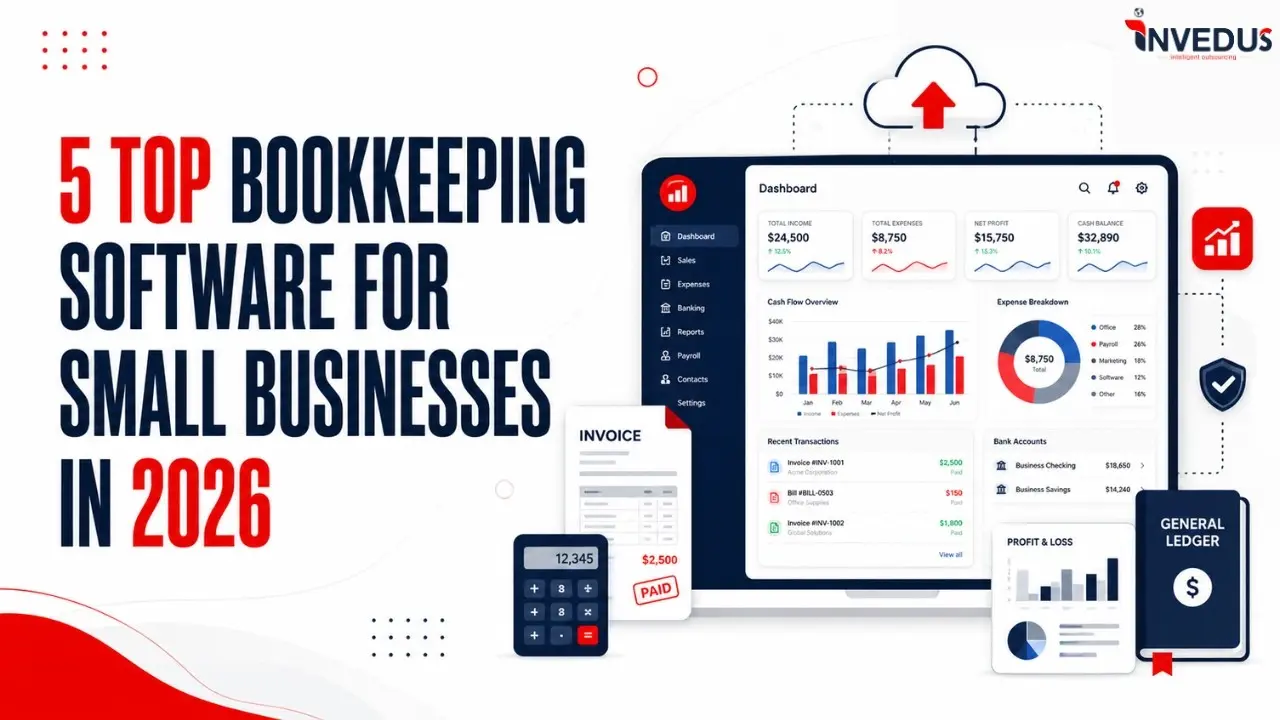
5 Top Bookkeeping Software for Small Businesses in 2026

Authored By: Garima
Meet Garima, an integral member of the Invedus editorial team. With three years of experience...
Growing businesses often face the challenge of choosing the right accounting software. While 64.4% of small business owners now rely on accounting tools, manual financial data entry or reconciliation tasks are still required (according to Ace Cloud Hosting).
That is why, businesses in 2026 need both– a reliable tool and an expert assistant. Accountants from Invedus Outsourcing have used the world’sbest accounting software for SME businesses to serve their clients. The selection of bookkeeping software is justified by several factors, including ease of use, compatibility with newer technologies, security, and a host of other features.
In this blog, you will see the best software for bookkeeping services and accounting software to streamline financial management, automate routine accounting tasks, and maintain accurate financial records with ease.
Why Use Bookkeeping Software in 2026?
Market shifts and technology affect how businesses function. This includes managing finances and automating manual tasks to reduce human errors, save time, and improve overall operational productivity.
Almost 95% of accounting firms have adopted automation technologies to handle tasks such as payroll processing and data entry, according to investors.intuit.
However, expert knowledge of this software is required to properly integrate automation, keep records, and integrate AI intelligence. If you are a business owner looking for expert bookkeeping assistance, then Invedus can help you.
Apart from being trained on the best bookkeeping software, they provide bespoke virtual assistance. They are proficient in widely used tools such as QuickBooks, Xero, Sage, Zoho Books, etc. So, with Invedus, automate tasks such as transaction management, payroll support, bank and credit card reconciliation, and financial data organization.
Given that, let’s start with our top 5 bookkeeping accounting software in 2026!
List of Best Bookkeeping Software for Small Businesses in 2026
-
- QuickBooks: Eases payroll management,tax preparation, real-time tracking, invoicing, and automated backups.
- Zoho Books: known for its affordable pricing, comprehensive features, and data security measures.
- Sage Accounting Software: Facilitates the effortless creation and administration of invoices for sole proprietors and small enterprises.
- Xero Bookkeeping Software: Famous for seamless integration, cloud-based storage, and tax-obligation compliance.
- Oracle Net-Suite Accounting Software: Cloud-based ERP software popular for scalability, real-time visibility, customization, and multiple language and department supports.
Let’s read about the best accounting software for small businesses one by one.
1. QuickBooks

QuickBooks is a cloud-based accounting software designed for small businesses. By helping to automate accounting tasks like bookkeeping, payroll, invoice management, bank reconciliation, expense tracking, financial reporting, tax management, and other related duties, it facilitates effective financial management.
It uses cloud-based QBO software to manage nearly every range of accounting and finance solutions for small businesses.
Free Intuit mobile apps are available for Android and iOS smartphones through QuickBooks accounting software.
What You Can Do with QuickBooks Accounting Software
- Invoicing: Create and send professional invoices to your customers.
- Expense tracking: Track your business expenses and categorize them for easy analysis.
- Bank and credit card reconciliation: Automatically reconcile your bank and credit card accounts to ensure accuracy.
- Inventory management: Track your inventory levels and costs.
- Payroll: Manage your payroll, including employee taxes and direct deposits.
- Reporting: Generate various financial reports to gain insights into your business’s performance.
You can print financial reports for your accountant and upload receipts using the QuickBooks mobile app. Many teams also add and attach receipts in QBO from web or desktop, so documents stay linked for reviews and audits.
Pricing & Ratings
Right now, QuickBooks is running two different promotions: 50% discount for 3 months and a “Live Expert Assisted Free for 30 Days’ or you can use a free trial for 30 days.
Pricing will change according to your preferred choice. You can choose from Simple Start, Essentials, Plus, or Advanced. Pricing for each is as follows:
- Simple Start: Starting $19/mo for 1 User plus access to your accountant
- Essentials: Save time and focus on growth for $37.50/mo for 3 Users and access to the accountant.
- Plus: Starting at $57.50/mo for 5 Users and access to your accountant.
- Advanced: This package provides businesses more customization at $137.50/mo for 25 users, plus access to your accountant.
Nerd Wallet rates it 5 stars.
QuickBooks Integration
It shows great performance with Sage and Xero. It can also integrate 750+ integrated business applications, enabling companies to extend the functionality of their accounting software. Businesses can connect apps for expense, inventory, project management, CRM, and time tracking.
2. Zoho Books

Zoho Books is a cloud-based accounting platform that offers small business owners easy-to-use bookkeeping solutions. It was launched in 2011.
Businesses can use it to track time, bill customers, record transactions, automate workflows, and maintain tax compliance, all in one location.
What You Can Do with Zoho Books
- Record and Track Transactions: It captures and organizes daily financial transactions for accurate bookkeeping.
- Manage Invoices and Payments: You can create professional invoices, track payment status, and send automated payment reminders.
- Expense Tracking: Monitor and sort expenses to maintain clear financial records.
- Accounts Payable & Receivable Management: Keep records of vendor bills and customer payments.
- Generate Financial Reports: Access reports such as profit and loss, balance sheets, and cash flow statements.
- Tax Management: Calculate and track taxes automatically to simplify compliance and reporting.
- Automate Recurring Transactions: Plan recurring invoices, expenses, or payments to reduce manual work.
Note that it provides cloud-based access with secure cloud accounting.
Pricing & Ratings
Zoho Books offers a range of subscription plans to suit different business sizes and needs. Pricing varies by country and billing type (monthly vs annual), but broadly includes, in global pricing terms, plans starting around $15–$20/month for basic tiers and going up to about $240–$275/month for enterprise-level features.
Free Trial: A 14-day free trial is available on all paid plans before subscription.
It has a 93% positive reviews on Capterra for ease of use and setup.
Zoho Bookkeeping Software Integration
It performs well with payroll apps, tax software, document management services, Zoho Apps payment gateways, and workplace communications platforms. It is also compatible with iOS and Android mobile devices.
3. Sage Accounting Software
Sage is a popular accounting software that provides a range of features to help businesses manage their finances effectively. With Sage AI, you can easily automate most financial tasks.
What You Can Do with Sage Accounting Software
- Create and Send Invoices: Create professional invoices, automate billing, and track customer payments.
- Manage Cash Flow: Keep a check on cash flow (in and out) to maintain healthy business finances.
- Perform Bank Reconciliation: Match bank transactions with accounting records.
- Generate Financial Reports: Get profit & loss statements, balance sheets, and financial reports.
- Process Payroll: Manage employee payroll and payments while maintaining compliance.
- Access to Accountants: You can share data with accountants or team members for smoother collaboration.
With Sage Accounting Software, you can also access cloud accounting.
Different Accounting Products of Sage
- Sage 50: Ideal for small businesses with basic accounting features.
- Sage 100: Suitable for mid-sized businesses with more advanced features.
- Sage 300: Designed for larger enterprises with complex operations.
- Sage Intacct: Cloud-based accounting for scalability, flexibility, and integration with other apps.
You can also check their other products and offerings here.
Pricing & Ratings
Sage Accounting Software offers various subscription plans to cater to different business needs. Currently, they are offering 90% off for 6 months until 31 March 2026. Prices start at $2.40 then $24 per month (excludes VAT).
- Sage 50 Pro Accounting is available at $124.42 per month for a 1-user subscription or $1,362 annually.
- Sage 50 Premium Accounting costs $169.33 per month for 1 user or $1,807 annually.
- Sage 50 Quantum Accounting costs $253.42 per month or $2,654 a year for 1 user.
Pricing for Sage 100 and Sage 300 is available on request. You can check out their pricing from Sage directly or visit their official website.
Regarding ratings, Trustpilot has 17,000+ reviews and gives Sage accounting software a straight 4/5 rating.
Sage Accounting Software Integration
It works well with WooCommerce, WordPress, Google Sheets, HubSpot, etc. It can also integrate with Zapier Developer Tools, Microsoft Spreadsheets, Shopify eCommerce Webhooks, etc.
4. Xero Bookkeeping Software
Xero is cloud-based accounting software for small to medium-sized businesses that helps manage finances, cash flow, and bookkeeping.
This cutting-edge accounting software has automated features like invoice reminders and bank transaction reconciliation. Keep your track record paperless on the cloud, along with a business snapshot dashboard displaying vital performance measures.
Additionally, you can track your project management capabilities, such as quoting, tracking, invoicing, and receiving payments.
What You Can Do with Xero Bookkeeping Software
- Automate Bank Reconciliation: Imports bank transactions and helps match them with invoices.
- Create and Manage Invoices: Generate professional invoices, send them to clients, and track payment.
- Track Cash Flow: View dashboards, financial reports, and analytics.
- Access Cloud-Based Accounting: It is cloud based to owners and accountants to manage finances securely from anywhere.
With JAX AI, you can do a lot more automated work, such as creating invoices for Xero, WhatsApp, SMS, and email. You can also do the following:
- Use JAX AI for Smart Financial Insights: Ask questions like “What was my income last quarter?” and instantly receive insights from your financial data.
- Automate Routine Bookkeeping Tasks: JAX can automate activities such as invoice creation, data entry, and transaction categorization.
- Get Real-Time Business Intelligence: Get financial trends, profit changes, or expense patterns.
- AI-Powered Bank Matching: Automatically categorize and reconcile many bank transactions.
Pricing & Ratings
Xero is offering “ 85% off your plan for the first 6 months when purchasing before 31 March”. Try Xero with the following pricing and offers when you sign up via the form on this page.
1. Early
Usually $25, now $3.75 USD per month. Save $127.50 over 6 months. Good for sole traders, new businesses, and the self-employed.
2. Growing
Usually $55, now at $8.25 USD per month. Save $280.50 over 6 months. Accounting tools for the self-employed and growing businesses.
3. Established
Usually $90, now at $13.50 USD per month. Save $459 over 6 months. Good for established businesses of all sizes.
Xero provides a free 30-day trial on all main plans in most regions.
When it comes to rating, 4.1 out of 5 stars from ~10,571 reviews on the official Xero Trustpilot page. G2 (Verified Reviews) ~4.4 out of 5 stars on G2 based on ~1,626+ reviews.
Xero Bookkeeping Software Integration
Xero connects with various third-party tools such as payment gateways, CRM systems, and payroll platforms to streamline accounting workflows.
5. Oracle NetSuite Accounting Software

Oracle NetSuite Accounting Software is a cloud-based solution designed to streamline and automate financial processes for businesses of all sizes.
It automates manual tasks, provides real-time financial data, and ensures compliance with various regulations. Key features include simplified transaction recording, efficient payables and receivables management, automated closing, AI-powered automation, real-time financial data access, and regulatory compliance such as ASC 606, GAAP, SOX, and others.
NetSuite Next introduces Ask Oracle, a conversational AI assistant that allows users to interact with the entire NetSuite data ecosystem using natural language.
What You Can Do with Oracle NetSuite Accounting Software
Oracle’s NetSuite is an AI-powered and cloud-based platform for enterprise resource planning (ERP) that includes a full suite of applications, including e-commerce, payroll, human resources (HR), and customer relationship management (CRM). You can:
- Manage Core Financial Processes: NetSuite helps businesses handle general ledger, accounts payable, accounts receivable, tax management, and cash management.
- Deploy Industry-Ready ERP: NetSuite’s SuiteSuccess provides a pre-configured ERP for built-in workflows, KPIs, dashboards, and reports tailored to industry needs.
- Accelerate ERP Implementation SuiteSuccess can help businesses go live in as little as 60–100 days, significantly faster than traditional ERP.
- Access Role-Based Dashboards and KPIs: Get industry-specific dashboards, analytics, and performance metrics.
- AI-Powered Insights and Automation: Analyze financial data, automate repetitive tasks, and generate deeper business insights.
Pricing & Ratings
To obtain a price estimate for Oracle NetSuite, it’s essential to consult with an Oracle sales representative. They will provide a personalized quote tailored to your business’s size, nature, and specific requirements.
It also has a secure international payment gateway that allows businesses around the globe to join Oracle NetSuite.
Oracle NetSuite Accounting Software Integration
Oracle NetSuite, as an ERP platform, provides seamless integration with all NetSuite modules. It can integrate with third-party business software products and offers open APIs for creating new custom integrations.
In its most recent updates, NetSuite has introduced several new features catering to Amazon and Shopify users.
Want to manage finances but don’t have enough time to learn these tools? Don’t Worry, Just Outsource
Small businesses often struggle with financial management. Keeping records and reducing human errors can be a challenge. Moreover, with so many bookkeeping tools in the market, selecting and efficiently operating the right software can be difficult.
Without proper understanding, businesses may fail to use these tools to their full potential. In this kind of situation, having a dependable partner with industry knowledge and experience is preferable. Above all, the partner for outsourcing must be reasonably priced.
Outsourcing with Invedus can be a game-changer. With flexible engagement models, you get customized services, helping you save time on repetitive tasks.
Plus, by hiring adedicated offshore virtual bookkeeper, you can benefit from real-time online bookkeeping, keeping your financials up-to-date and accessible anytime, anywhere.
To learn more, fill out this form here or contact us at +1-888-346-8646 (US) or +44-208-051-2646 (UK) or IN Phone +91 0120-455-4283
How much do small business bookkeeping services typically cost?
Small business bookkeeping services typically cost $300 to $1,000 per month on average. More complex businesses may pay $900 to $2,500 monthly, depending on transaction volume and service scope. Some bookkeepers also charge $25 to $75 per hour for occasional work.
How do I choose a bookkeeping service for my startup?
Choose bookkeeping services for your startup business that provide specific experience (SaaS Metrix, Vendur funding, Automation, cloud-based technology, and more). Make sure the pricing fits your budget, or they have experience in providing the services in your domain.
Bookkeeping software with automatic tax calculations?
The top bookkeeping software in the U.S. that offer automated tax calculations are QuickBooks Online, Xero, and FreshBooks.
- QuickBooks Online is preferred for overall accounting features.
- Xero is ideal for inventory management and multi-user access
- FreshBooks works well for freelancers
These tools help automate tasks like sales tax calculations, expense tracking, and 1099 reporting, while also integrating with payroll systems and tax filing services.
What are the benefits of using a professional bookkeeping service?
Professional bookkeeping services help businesses in the following ways:
Accuracy and Compliance:
Ensure accurate financial records and compliance with tax laws and regulations, reducing the chances of costly errors or penalties.
Save Time & Money:
By outsourcing bookkeeping tasks, business owners can save time and money upto by 70%.
Cost Efficiency:
Hiring a bookkeeping service is often more affordable than maintaining a full-time in-house accountant.
Financial Insights and Decision Making:
Detailed financial reports help businesses understand performance and make informed business decisions.
Expertise and Technology:
Bookkeeping professionals use modern accounting software and industry knowledge to manage financial data efficiently and securely.
Improved Cash Flow Management:
They help track expenses, monitor payments, and manage invoices.


Last updated on: Jun 1, 2026